
The Homepage Test: Can a Homeowner Trust Your Contractor Website in 10 Seconds?
A practical 10-second homepage test contractors can use to check if their website builds trust, explains services, and makes quote requests easy.
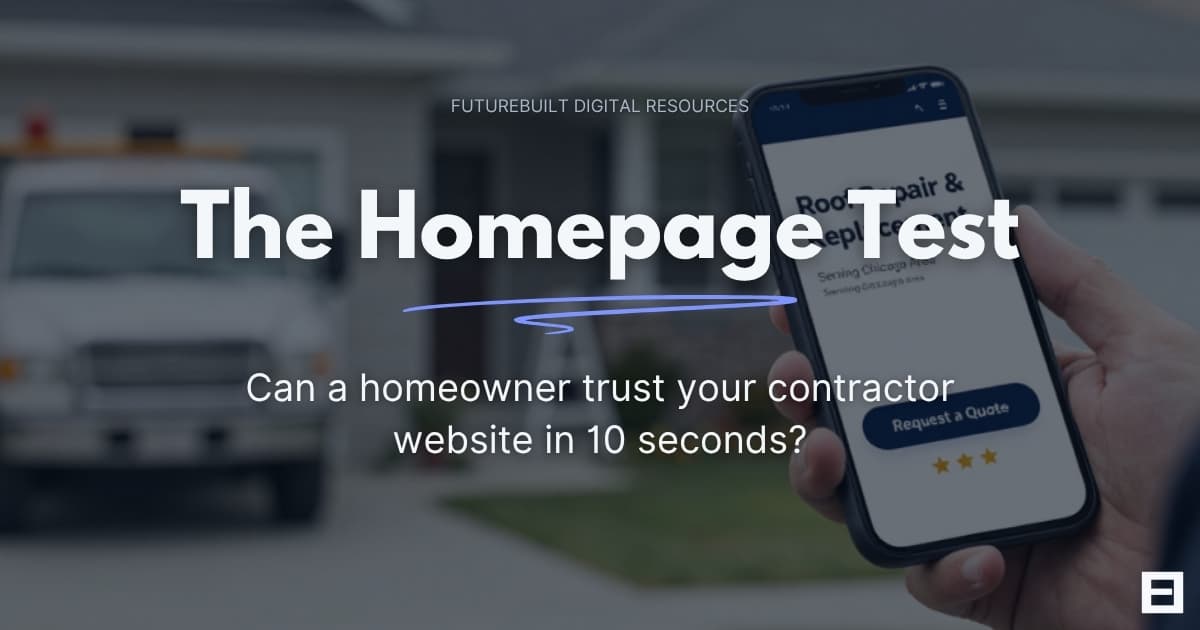
Open your contractor website on your phone and look at the homepage for 10 seconds.
Do not scroll. Do not open the menu. Do not click around.
Just look at the first screen and ask what a homeowner would understand right away.
Can they tell what kind of work you do? Can they tell where you work? Do they see anything that makes the business feel credible? Is there a clear way to call or request a quote?
That is the homepage test.
A contractor homepage has a simple job. It should help a homeowner decide whether they are in the right place and whether it is worth taking the next step. The design can be simple. The copy can be short. What matters most is that the page gives people enough clarity and confidence to keep going.
This is especially important on mobile. Pew Research Center reported that 16% of U.S. adults are smartphone-only internet users, meaning they own a smartphone but do not subscribe to home broadband. source: Pew Research Center, Mobile Fact Sheet
That does not mean every contractor lead comes from a phone. It does mean your homepage should be tested on a real phone, not only on a desktop screen.
The 10-Second Contractor Homepage Test
The test is straightforward. Pull up your homepage on a phone and look at the first screen.
After 10 seconds, answer these questions:
- What service does this company provide?
- What area does this company serve?
- Does the business look active and real?
- Is there any proof of work or credibility?
- Is the next step easy to find?
- Does the page feel usable on mobile?
The top of the homepage does not need to answer everything. It should give the visitor enough information to continue.
Contractor website note: The first screen of a homepage should reduce uncertainty. A homeowner should not have to search for the basic details.
For contractors, that usually means clear service language, location context, visible proof, and a simple path to contact.
Stanford’s Web Credibility Guidelines recommend making it easy for visitors to contact you and showing that there is a real organization behind the website. For a contractor, that usually means clear contact information, real project proof, local details, and credibility signals that match the business. source: Stanford Web Credibility Guidelines
What a Homeowner Should Understand Immediately
A homeowner usually lands on a contractor homepage with a specific problem or project in mind.
They may need a roof repair, a furnace replacement, a concrete driveway, a bathroom remodel, a patio, a cleaning service, or emergency HVAC help. They are trying to confirm whether your business handles that kind of work.
Your homepage should quickly answer:
- What services you provide
- What type of customer or property you serve
- What cities or areas you cover
- What kind of work you are best suited for
- Why the business looks credible
- How someone can take the next step
Specific language helps.
For a roofing contractor, “roof repair and replacement in Chicago and nearby suburbs” gives a homeowner useful information immediately. For an HVAC company, “furnace repair, AC repair, and HVAC installation in DuPage County” sets clear expectations. For a concrete contractor, “driveways, patios, sidewalks, and garage slabs” is easier to understand than a general statement about service quality.
The homepage should state the work clearly and support that message with proof.
| Homepage detail | What it should clarify |
|---|---|
| Main headline | The core service or trade |
| Service area | Where the business works |
| Supporting text | The types of jobs handled |
| Visual proof | Real work, crew, equipment, or finished projects |
| Trust details | Reviews, years in business, licensing, insurance, warranty, or other relevant credibility markers |
| Primary action | How to call, contact, or request a quote |
This does not require a complicated layout. A clear contractor homepage often feels simple because the page has a clear order.
The Above-the-Fold Trust Check
The first visible section of the homepage carries most of the initial trust burden.
On a contractor website, this area should usually include:
- A clear headline
- A short service description
- A service area cue
- A visible phone number or quote button
- A real or relevant image
- At least one credibility signal
This section should feel focused. A homeowner should be able to glance at it and understand the basics without reading a long paragraph.
Clear headline
The headline should make the trade and service clear.
A roofing company can say it handles roof repair and replacement. An HVAC company can say it handles heating and cooling repair, replacement, and maintenance. A remodeler can name the types of projects it wants more of.
The best headline is usually plain. It should sound like something a homeowner would understand, not like a tagline written for a billboard.
Service area
Service area information matters because homeowners do not want to waste time contacting a business that may not serve them.
A simple line near the top can do the job:
- Serving Chicago and nearby suburbs
- HVAC repair and installation in DuPage County
- Concrete driveways and patios in the western suburbs
- Roofing services for North Shore homeowners
The service area does not need to dominate the homepage. It just needs to be visible early enough to answer the location question.
Trust cue
A small credibility detail near the top helps the page feel grounded.
Useful trust cues can include:
- Real project photos
- Review rating or review count
- Years in business
- Licensed and insured language, when accurate
- Local ownership
- Warranty information
- A photo of the owner, crew, truck, or finished work
Reviews are especially important for local businesses. BrightLocal’s 2026 Local Consumer Review Survey reported that 97% of consumers read online reviews for local businesses, and 41% always read reviews when browsing for businesses. source: BrightLocal, Local Consumer Review Survey 2026
The homepage does not need to show every review. It should give visitors enough credibility to feel comfortable continuing.
A homepage earns trust faster when it is specific.
Quote path
The next step should be easy to find.
For many contractors, that means a clear quote button and a tappable phone number. The button text should match the service and the way the business handles new inquiries.
Common options include:
- Request a Quote
- Schedule an Estimate
- Request a Roofing Quote
- Contact Us About Your Project
The quote path should be simple on mobile. If someone taps the button, they should land on a page or form that feels easy to use.
Why Mobile Is the Real Homepage Test
A homepage can look organized on a desktop and still feel difficult on a phone.
Mobile issues often show up in the first few seconds:
- The headline gets pushed too far down
- The quote button is hard to find
- The phone number is not easy to tap
- The menu hides the most important pages
- Text blocks feel too long
- The form is hard to use
- Images take up too much space before the visitor sees the service information
Contractors should test the homepage on an actual phone, not only inside a desktop preview.
Here is a simple mobile check:
- Open the homepage on your phone.
- Look at the first screen without scrolling.
- Check whether the main service is clear.
- Check whether the service area is visible.
- Look for the phone number or quote button.
- Tap the quote button.
- Review the form from a homeowner’s point of view.
A mobile homepage should make the first action feel simple. A homeowner should not have to zoom, hunt through menus, or guess where to go next.
Google’s PageSpeed Insights can also be useful because it reports on the user experience of a page on both mobile and desktop devices and provides suggestions for improvement. source: Google PageSpeed Insights documentation
Contractor website note: If the mobile homepage makes the basic details hard to find, the design is creating friction before the sales conversation starts.
Sometimes this can be fixed with small changes. A clearer headline, shorter intro, better button placement, or simpler form can make the page easier to use. In other cases, the homepage structure itself needs to be rebuilt.
Want to see what a cleaner contractor website can look like?
View a sample roofing website built around trust, clear services, and quote requests.
View Example Site
Common Contractor Homepage Issues That Create Doubt
A contractor homepage does not need to look terrible to create doubt. Small gaps in clarity can make the business feel less established than it really is.
Vague opening copy
Many contractor homepages open with broad claims about quality, reliability, or customer service.
Those points may be true, but they need support. The homepage should also explain the trade, services, location, and type of work the company wants.
A homeowner looking for roof repair, AC replacement, or a new driveway needs service information early.
Too much information at the top
Some homepages try to explain everything in the opening section.
Long paragraphs near the top make the page harder to scan, especially on mobile. The first screen should introduce the business and guide the visitor to the next step. Details can come later.
A clean homepage uses short sections, direct headings, and clear labels.
No local context
A contractor website can look polished and still feel disconnected from the area it serves.
Local context can come from service area language, project photos, neighborhood references, city pages, reviews, or examples of common local jobs. The point is to help the visitor feel that the business actually works in their market.
For a Chicago-area contractor, the homepage should not feel like it could belong to a company in any state.
Limited proof
A homepage should give visitors reasons to believe the business can do the work.
Proof can be simple:
- A few real project photos
- Short review excerpts
- A gallery preview
- License and insurance details
- Years in business
- Clear explanation of the process
- Photos of the owner, team, trucks, or job sites
The proof does not need to overwhelm the page. It just needs to be visible and relevant.
Complicated quote forms
A quote form should ask for enough information to start the conversation, but not so much that the visitor gives up.
For many contractors, a useful starting form includes:
- Name
- Phone number or email
- Service needed
- City or ZIP code
- Short project description
- Optional photo upload, if useful
Baymard’s form usability guidance describes online forms as a key gateway between users and businesses and notes that confusing, long, or invasive forms can hurt usability. source: Baymard Institute, Form Design
For contractor websites, the practical takeaway is simple: make the quote request easy to complete.
A Simple Contractor Homepage Structure
A clear contractor homepage usually follows a straightforward order.
| Homepage section | Purpose |
|---|---|
| Hero section | Explain the service, area, and main action |
| Trust section | Show credibility early |
| Services section | Help visitors find the work they need |
| Project proof | Show real completed work |
| Reviews or credibility | Support confidence |
| Service area | Confirm location fit |
| Process | Explain what happens after contact |
| Quote section | Give visitors a clear next step |
Hero section
The hero section should answer the first set of questions:
- What do you do?
- Where do you work?
- What should I do next?
For example:
“Roof Repair and Replacement in Chicago and Nearby Suburbs”
A short supporting line can explain the type of work handled, followed by a quote button or phone number.
Trust section
A trust section near the top can include review highlights, project photos, licensing information, years in business, or a short line about the type of work the company specializes in.
This section should be easy to scan. The goal is to support confidence without slowing the visitor down.
Services section
The services section should list the main jobs the company wants to receive inquiries for.
A roofer might list:
- Roof replacement
- Roof repair
- Storm damage
- Flat roofing
- Gutters
- Inspections
An HVAC company might list:
- AC repair
- Furnace repair
- HVAC installation
- Maintenance
- Emergency service
A concrete contractor might list:
- Driveways
- Patios
- Sidewalks
- Garage slabs
- Stamped concrete
Use the words homeowners already use when describing the job.
Project proof
Real photos help visitors understand the quality and type of work.
A homepage does not need a full gallery, but it should show enough proof to make the business feel credible. Captions can help explain what the visitor is looking at.
A contractor can also link to a fuller example or project page. FutureBuilt has a sample contractor-style site available at /example, along with the roofing example at /lakefront-roofing.
Reviews and credibility
Reviews work best when they are close to the parts of the page where visitors are deciding whether to take action.
Credibility details can include:
- Licensed and insured language
- Locally owned language
- Years in business
- Warranty information
- Brand certifications, when accurate
- Financing information, when offered
Only include claims that are true and useful to the homeowner.
Service area
A service area section helps filter the right visitors and reduce confusion.
This can be a short paragraph, a list of cities, or a simple coverage section. The wording should be natural. The goal is to make the coverage clear, not to repeat city names for the sake of SEO.
Process and quote section
A short process section can reduce hesitation.
For example:
- Request a quote
- Schedule a visit or call
- Review the recommendation
- Approve the work and schedule the job
This helps homeowners understand what happens after they reach out.
When a Homepage Needs More Than Small Edits
Some homepage issues can be fixed with focused updates.
That might include rewriting the headline, moving the quote button higher, adding real project photos, simplifying the mobile layout, or clarifying the service area.
Other problems point to a deeper structure issue:
- The mobile layout is hard to use
- The homepage does not reflect the current services
- The site looks less credible than the actual work
- The quote path is confusing
- The page is built around old content or old branding
- The service area is unclear
- The business has outgrown the original website
A rebuild makes sense when the current homepage is making the business harder to understand, harder to trust, or harder to contact.
FutureBuilt Digital builds clean, mobile-friendly websites for contractors and local service businesses. Standard builds start at $1,200. Contractors can learn more about the website process at /quote.
Final Recommendation
The 10-second homepage test is a simple way to look at your site from a homeowner’s point of view.
Open the homepage on your phone. Look at the first screen. Check whether the service, location, proof, and next step are clear.
A contractor homepage does not need to explain the whole business immediately. It needs to create enough confidence for the visitor to continue.
When a homeowner can quickly understand what you do, where you work, why the business looks credible, and how to request a quote, the homepage is doing its job.
Need a contractor website that actually helps people trust you?
FutureBuilt Digital builds clean, mobile-friendly websites for contractors and local service businesses, built to turn visitors into quote requests.
Related guides
Contractor Websites 7 min read
The Contractor Website Checklist: 12 Things Your Site Needs to Turn Visitors into Leads
If your website is missing any of these 12 things, it may be costing you calls and quote requests every week. A practical guide for contractors.
Read the articlearrow_forwardContractor Websites 8 min read
Why Homeowners Do Not Trust Some Contractor Websites
Learn why homeowners hesitate on contractor websites and what trust signals can make your business easier to contact.
Read the articlearrow_forwardRoofing 5 min read
What Makes a Good Roofing Website: A Real Example Breakdown
We built a demo roofing website and documented every decision. Here is what a high-performing roofing website looks like and why each element matters.
Read the articlearrow_forward