











Skip to content
A friendly robotic familiar presenting glowing technological artifacts.

Check your credit card statement. Somewhere in there is a $19 charge for software you signed up for during a free trial and haven’t opened since.

That’s how small business software costs creep. A $15 plan here, a $29 plan there, one more because a competitor mentioned it... and eventually, you’re paying real money every month for tools you half use.

Meanwhile, a lot of good software is free. Google will put your business on the map, Tally will collect customer inquiries, Calendly will handle the scheduling emails, and Zoho will send the invoices.

We picked 25 tools worth knowing about and sorted them by the problem they solve. Each entry says what the tool does, what the free plan includes, where the free part stops, and one thing you can try today.

You’ll probably use a handful of these, at most... start with whichever one fixes something that annoyed you this week, and cancel that $19 mystery charge while you’re at it.

Considering free software for your business

"Free" covers at least four different things, and software vendors are happy to let them blur together.

Free plan
A free plan is a version of the product you can use indefinitely at no charge, usually with caps on users, contacts, storage, or features.
Free trial
A free trial is a paid product on a timer. When the timer ends, you lose access or get billed.
Free service
A free service has no subscription but earns its money elsewhere: Stripe Payment Links costs nothing per month, but Stripe takes a fee on every payment you collect.
Demo tier
And some free tiers are demos, too limited to run a business on.

Everything in this guide is a free plan or a free service. We left out trials. When a tool takes a cut of transactions, the entry says so.

Free usually holds up when you have a small team, a modest number of customers, and one clear job for the tool. A solo consultant tracking thirty leads doesn't need a paid CRM.

Free stops working when you hit a cap that forces a workaround, like the sixth person who needs access, the contact limit, or the report you can't export. It also stops working when you spend more time moving information between tools than the tools save you. Each entry names the limits you're most likely to hit.

Too many tools, too much confusion

Every tool you add is another login and another place where customer details can end up. The cost shows up later as missed messages and half-updated records. Using a few tools effectively and with intention beats having a plethora of systems that fail to actually work for you.

How we chose these 25

We looked for tools that have a free plan or free service useful to a small business, that are widely enough used that help and tutorials are easy to find, and that do a different job from the others on the list. We worked from each vendor's published pricing and plan details.

We haven't benchmarked these tools against each other, and we don't rank them. Free plans change, so the page shows when it was last reviewed. Please let Dakota know if anything changes (shoot me an email: dakota@futurebuiltdigital.com).

Get Found by More Customers

Understand demand and see whether the right people can find you.

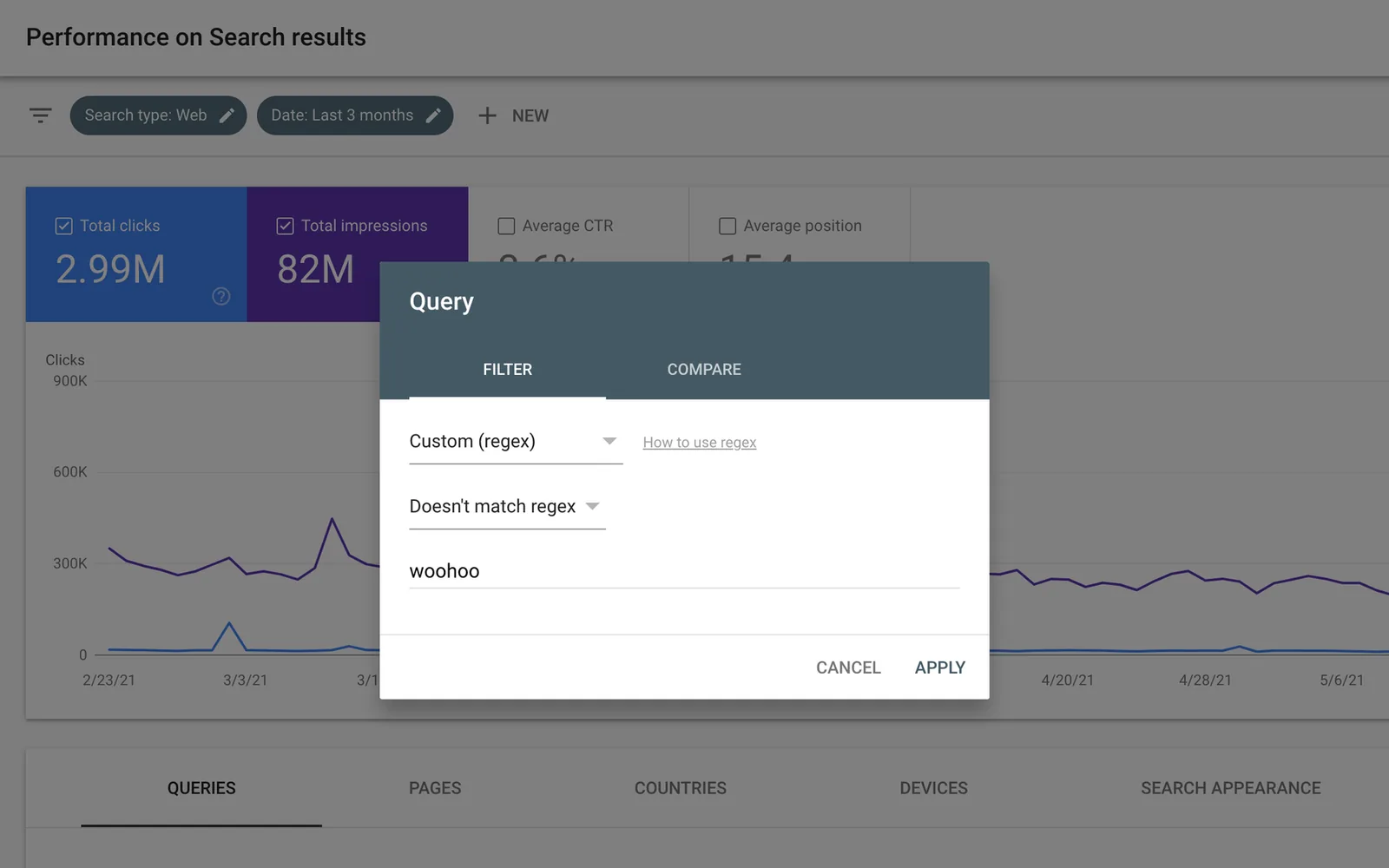
Search Console Performance report showing clicks and impressions over time, with a query filter open.

Google Search Console

See how customers find you

Free
Search performance, indexing reports and URL inspection are free.
The catch
You must verify site access. Reports cover Google Search, not every source of visitors.
Try first
Inspect your main service page, then compare its search queries with the language on the page.
Visit Google Search Console
Details

Included free

  • Search queries, clicks and impressions
  • Index coverage and URL inspection
  • Sitemaps and page indexing diagnostics

What paid plans add

  • No paid Search Console tier. Google Ads is a separate advertising product.

Limits to know

  • Verified ownership or delegated access required
  • Google Search data, rather than all website traffic

Best for: Website owners improving Google visibility

Google’s own search dashboard reports impressions, clicks and the queries associated with your pages. It also lets you submit a sitemap and investigate URLs that Google has not indexed. Start here before paying for an SEO dashboard. A page can be technically published and still fail to appear in search. Search Console helps separate an indexing problem from a page that simply has little demand. Use clicks and queries to pick a useful next edit; average position alone is not a business result.

Plans and pricing ↗
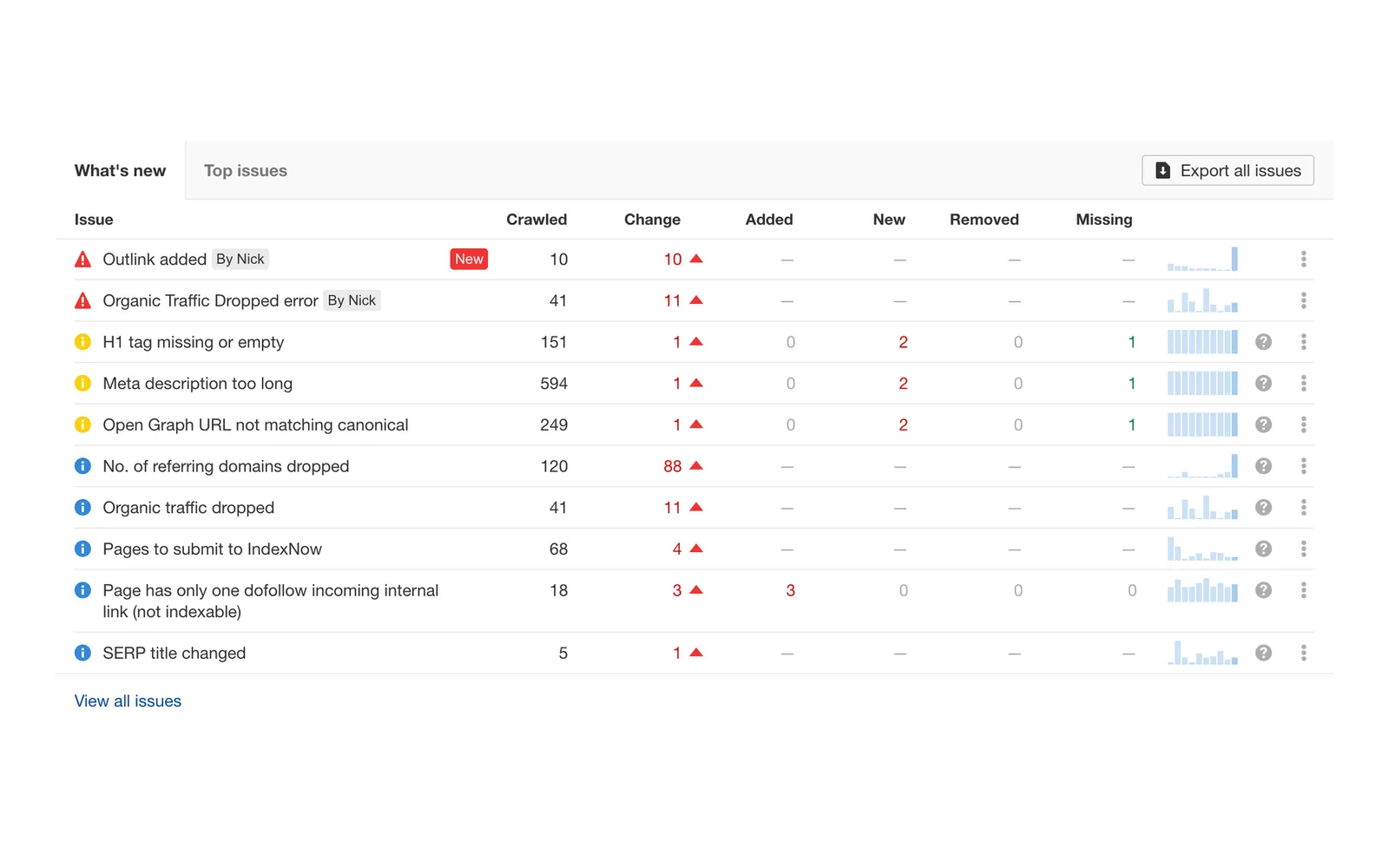
Ahrefs Site Audit issues table listing crawl problems such as broken links and missing tags.

Ahrefs Free

Find fixable SEO problems

Free
A free account includes limited site auditing and search intelligence for verified websites.
The catch
Crawl allowances and report access are capped; broad competitor research belongs to paid plans.
Try first
Verify your website and investigate broken internal links on important service pages.
Visit Ahrefs Free
Details

Included free

  • 5,000 monthly crawl credits per verified project
  • Up to 1,000 backlinks and keywords visible
  • Web Analytics: up to 1 million events per project/month

What paid plans add

  • Starter: limited competitor and keyword research
  • Lite and above: rank tracking, larger crawls and API access

Limits to know

  • Ownership verification for core site reports
  • Full competitor research and deeper reports are restricted

Best for: Owners auditing their own websites

Ahrefs crawls your site for technical problems and provides a view of backlinks and organic keywords. Its free offering is particularly useful when you own the website being investigated. Pair this with Search Console when you need a second view of your website. Its crawler can surface problems across pages that are difficult to spot by browsing manually. Work through issues affecting customers first, rather than trying to make every diagnostic score perfect. Traffic estimates are estimates, not your actual visitor records.

Plans and pricing ↗
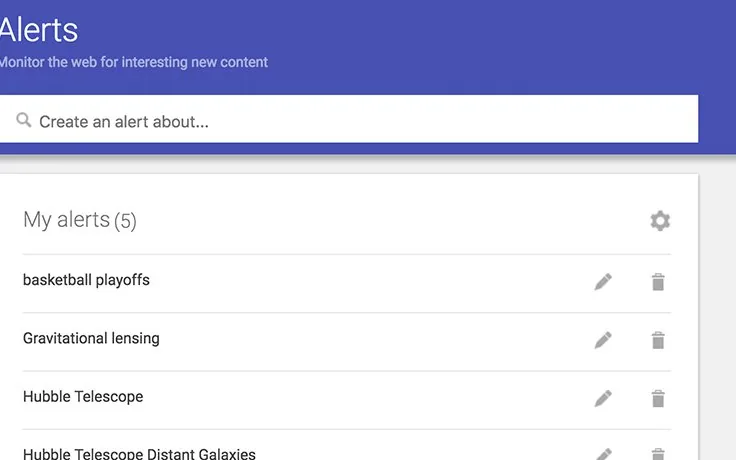
Google Alerts page with a field to create an alert and a list of existing alerts.

Google Alerts

Hear about new mentions

Free
Keyword alerts can arrive by email or RSS at no subscription charge.
The catch
Coverage is incomplete and delivery can lag. This is not comprehensive social listening.
Try first
Create an alert for your business name in quotation marks and review the first week of results.
Visit Google Alerts
Details

Included free

  • Keyword-based web alerts
  • Email digests or RSS delivery
  • Configurable frequency, language and region

What paid plans add

  • No paid Google Alerts tier. Broader media-monitoring products are separate services.

Limits to know

  • Not comprehensive social monitoring
  • Results can be delayed or missed

Best for: Monitoring business and industry mentions

Alerts looks for newly discovered search results matching your chosen terms and sends updates. Use your business name, a distinctive product name or a narrowly defined industry topic. A small business rarely needs another dashboard to check daily. An email digest can be enough to discover a new mention, supplier announcement or industry development. Choose distinctive phrases and adjust noisy alerts rather than adding dozens. Treat results as leads to investigate; missing alerts do not prove nobody is talking about you.

Plans and pricing ↗

Create and Distribute Better Marketing

Make useful content, publish consistently, and give customers a reason to return.

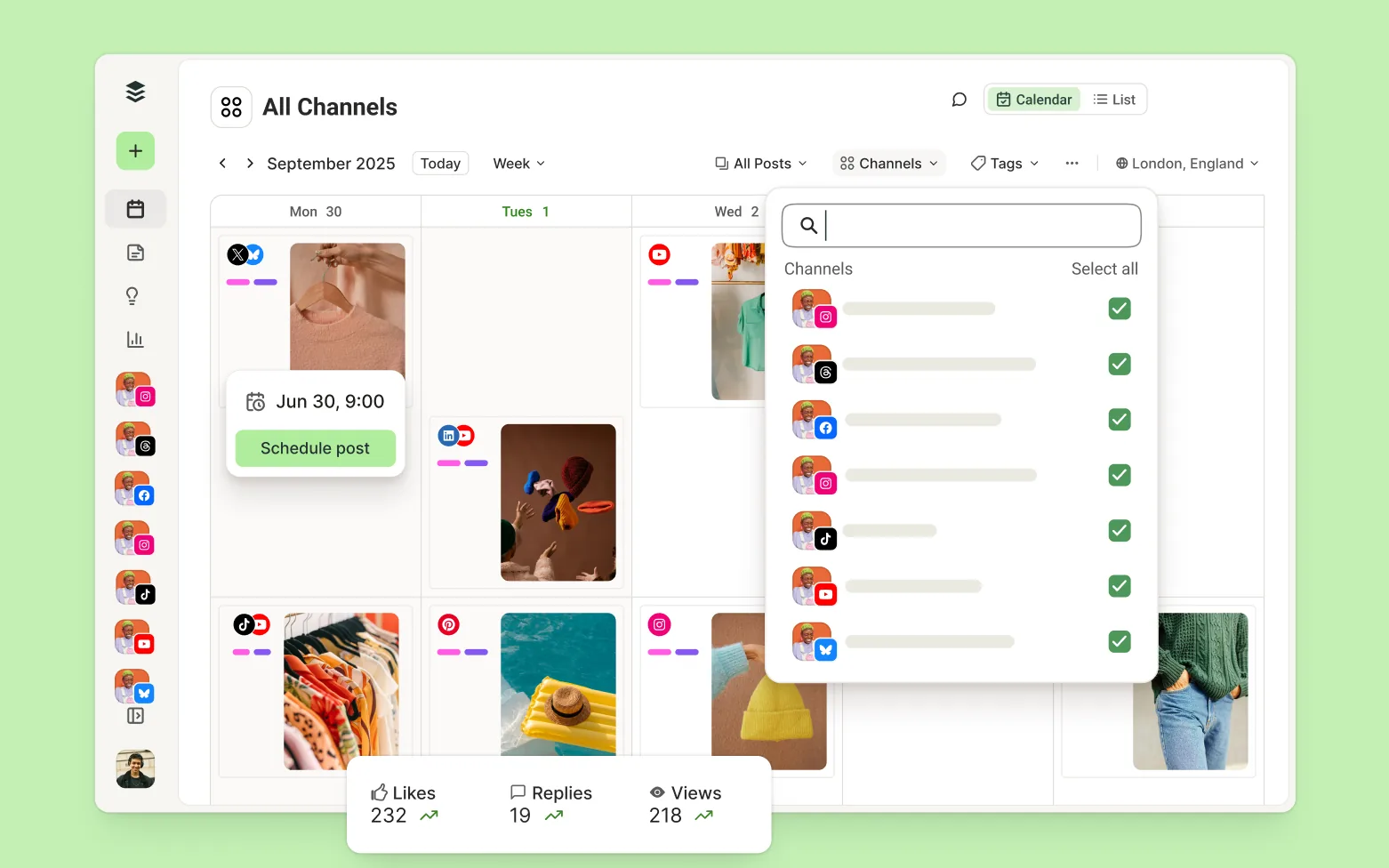
Buffer publishing calendar with scheduled posts across connected social channels.

Buffer

Schedule a manageable posting rhythm

Free
The free plan supports a small number of channels with a limited queue per channel.
The catch
Queue capacity and advanced reporting are restricted; network features differ.
Try first
Connect your main channel and schedule three useful posts for the coming week.
Details

Included free

  • 3 connected channels
  • 10 queued posts per channel; space renews as posts publish
  • 1 user, content ideas and basic insights

What paid plans add

  • Essentials: larger queues and advanced insights; $6/channel/month monthly
  • Team: permissions and approvals; $12/channel/month monthly

Limits to know

  • The cap is on queued posts, not monthly publishing
  • Advanced analytics and team approvals are paid

Best for: Solo operators scheduling social posts

Buffer brings a publishing calendar and social post queue into one place. Drafting several posts together can reduce the interruption of opening multiple networks throughout the working day. Choose Buffer when the problem is remembering to publish, rather than producing enough content. A modest queue is often helpful: it encourages a sustainable schedule instead of months of stale posts. Check the finished post on its destination network, especially video and mentions. Scheduled publishing still needs a person to answer replies and notice when a planned message no longer fits.

Plans and pricing ↗
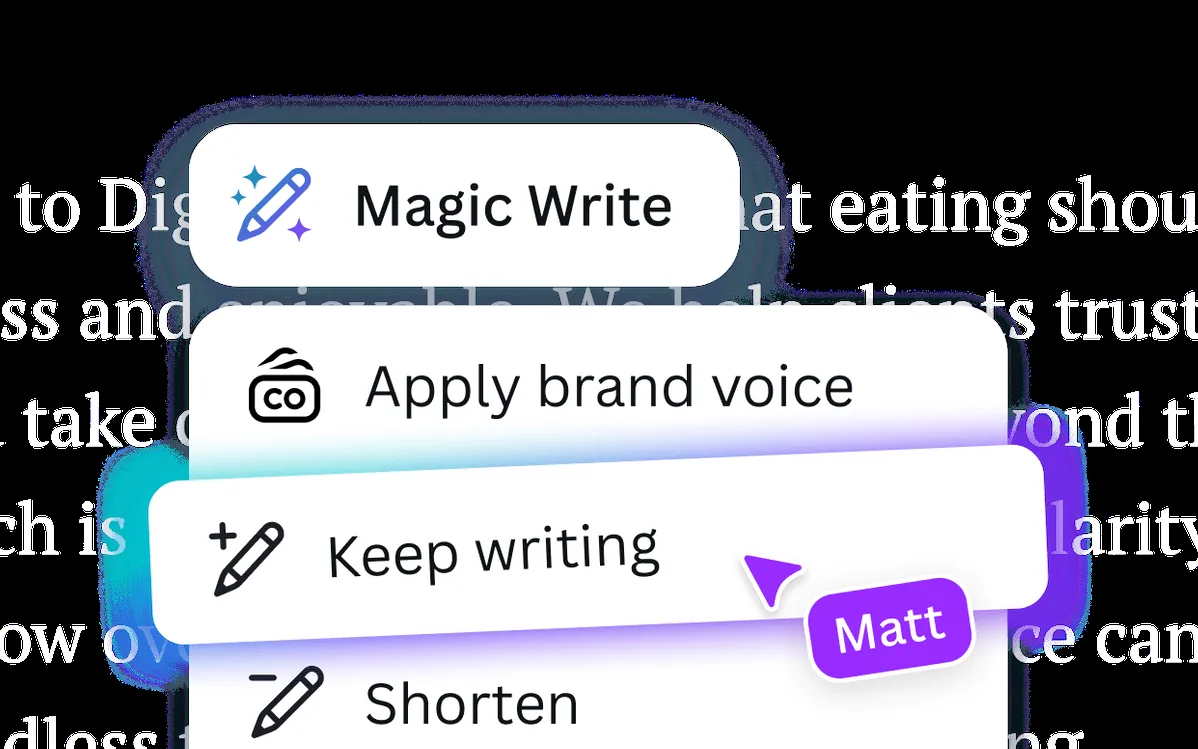
Canva's Magic Write menu offering to apply brand voice, keep writing or shorten text.

Canva

Make everyday marketing assets

Free
The free editor includes templates, design tools and a library of free assets.
The catch
Premium assets, advanced brand controls and some editing features require payment. Check asset licensing for your use.
Try first
Make one reusable announcement template with your own logo, colors and contact details.
Visit Canva
Details

Included free

  • Core editor, free templates and assets
  • 5 GB storage
  • Limited Brand Kit and AI access

What paid plans add

  • Pro: premium assets, resizing, background removal and scheduling
  • Business: brand governance, approvals and larger storage

Limits to know

  • Premium content and advanced editing are gated
  • Check commercial rights for the assets used

Best for: Owners making everyday marketing material

The visual editor combines editable layouts, photographs, text and graphics for social posts, presentations and printed material. It is practical for a team without a dedicated designer for every small job. Best for owners who need a presentable flyer or social post without starting from a blank canvas. Consistency matters more than using a different template every week. Keep the offer readable on a phone, use your own photographs where possible, and export at the dimensions of the actual channel. A template is a starting point, not a substitute for a clear message.

Plans and pricing ↗
Meta Business Suite mobile screens showing posts and Reels for a business.

Meta Business Suite

Manage Facebook and Instagram together

Free
Publishing, scheduling, inbox management and basic insights are available without a software subscription.
The catch
Advertising spend is separate. Account permissions and supported formats can complicate setup.
Try first
Connect your business accounts and clear unanswered customer messages from the shared inbox.
Visit Meta Business Suite
Details

Included free

  • Post and reel scheduling
  • Shared customer-message management
  • Basic content and audience insights

What paid plans add

  • No paid Business Suite software tier
  • Ads and optional Meta subscriptions are separate purchases

Limits to know

  • Facebook and Instagram account setup required
  • Advertising spend is separate

Best for: Businesses focused on Facebook and Instagram

The platform combines content scheduling, customer messages and account insights for Facebook and Instagram. It helps a local operator manage day-to-day social activity without a separate multi-network subscription. For a business focused on Facebook and Instagram, start with the tools already provided by those networks. One place to review messages and plan posts can remove a surprising amount of account switching. Assign someone to check the inbox and agree on response times. Reach and likes can help diagnose content, but inquiries and bookings matter more.

Plans and pricing ↗
CapCut editor timeline with video, audio and caption tracks.

CapCut

Turn footage into short videos

Free
Core editing tools are available free, with availability varying by platform and region.
The catch
Some effects, AI tools and exports require paid access. Music and template rights need checking for commercial use.
Try first
Trim one customer-facing demonstration to thirty seconds and add readable captions.
Visit CapCut
Details

Included free

  • Timeline editing and standard imports
  • Free templates and selected effects
  • Core video assembly and text tools

What paid plans add

  • Pro: premium templates, advanced tools, AI credits and cloud storage
  • Ultra: a larger AI allowance; account-specific checkout prices apply

Limits to know

  • Premium elements may block a free export
  • Features and availability vary by device and region

Best for: Short demonstrations and social video

CapCut provides timeline editing, text overlays and video effects for short promotional clips. Product demonstrations, before-and-after footage and straightforward explanations are often more useful than elaborate promotional montages. Useful for showing a process, answering a common question or explaining what a customer should expect. Record a clear example before spending time on transitions. Check captions against the actual speech, especially names and technical terms. Confirm that every element can be exported on your plan before building a campaign around a particular effect.

Plans and pricing ↗
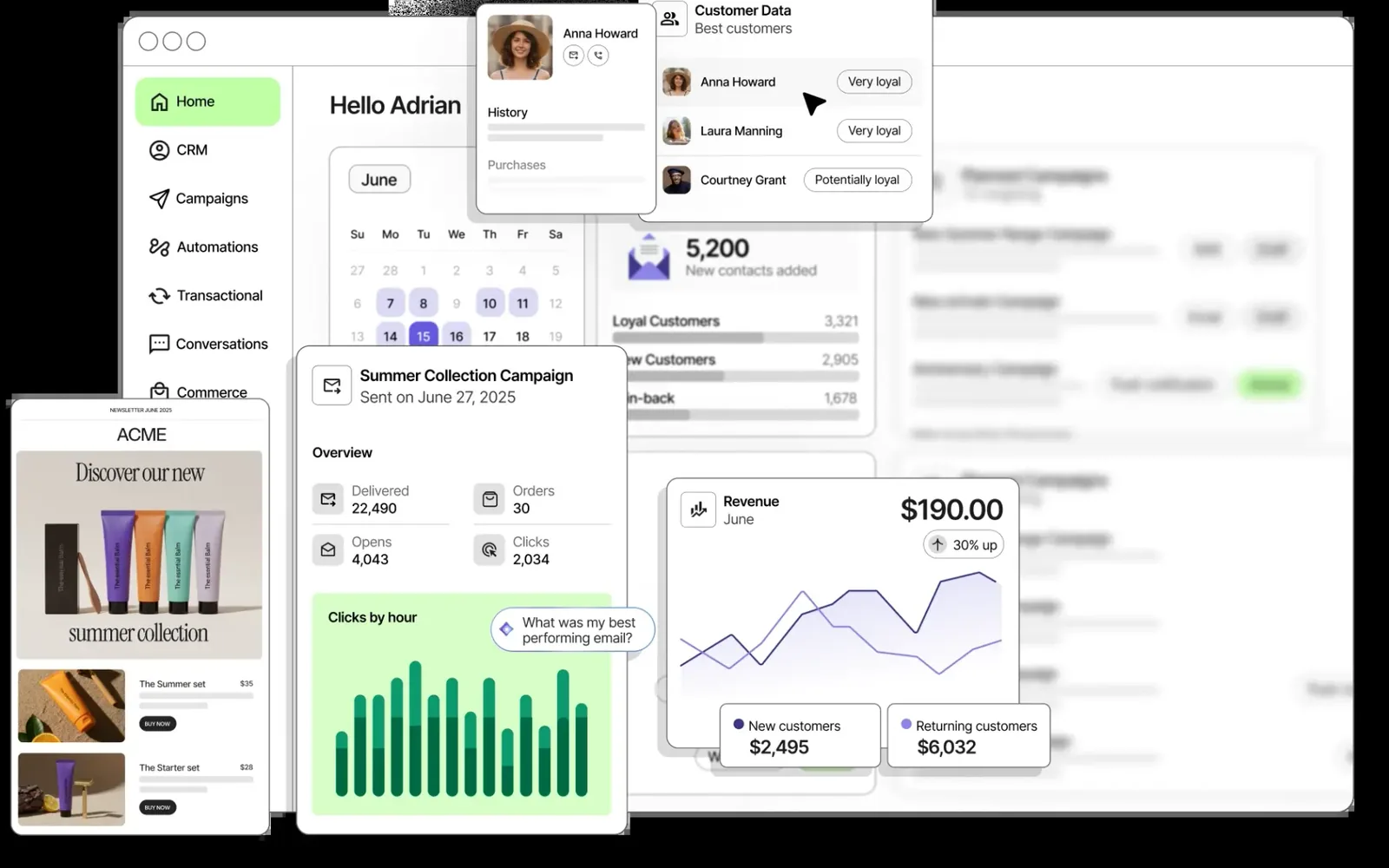
Brevo dashboard with contacts, an email campaign report and revenue charts.

Brevo

Keep in touch by email

Free
A free tier provides email campaigns with a daily sending allowance.
The catch
Daily caps, branding and feature limits apply; SMS and larger campaigns can cost extra.
Try first
Create a small permission-based list and send one useful update with a clear next step.
Visit Brevo
Details

Included free

  • 300 email sends per day
  • Email editor, campaigns and basic reporting
  • Automation for up to 2,000 contacts

What paid plans add

  • Starter: removes the daily sending limit; volume-based pricing
  • Standard: A/B testing, advanced reporting and broader automation

Limits to know

  • Unused daily sends do not carry forward
  • Brevo branding and one marketing seat

Best for: Small permission-based email lists

Brevo combines contact lists, an email editor and campaign delivery. A local shop can use it for a useful monthly update; a consultant can share an occasional explanation customers keep requesting. A good fit when customers want to hear from you again but social posts disappear too quickly. Start with people who actually asked to receive updates, organize them by what they care about, and make unsubscribing straightforward. Sending capacity is only part of the job: authenticate your domain and keep your list clean. Transactional and promotional messages serve different purposes.

Plans and pricing ↗
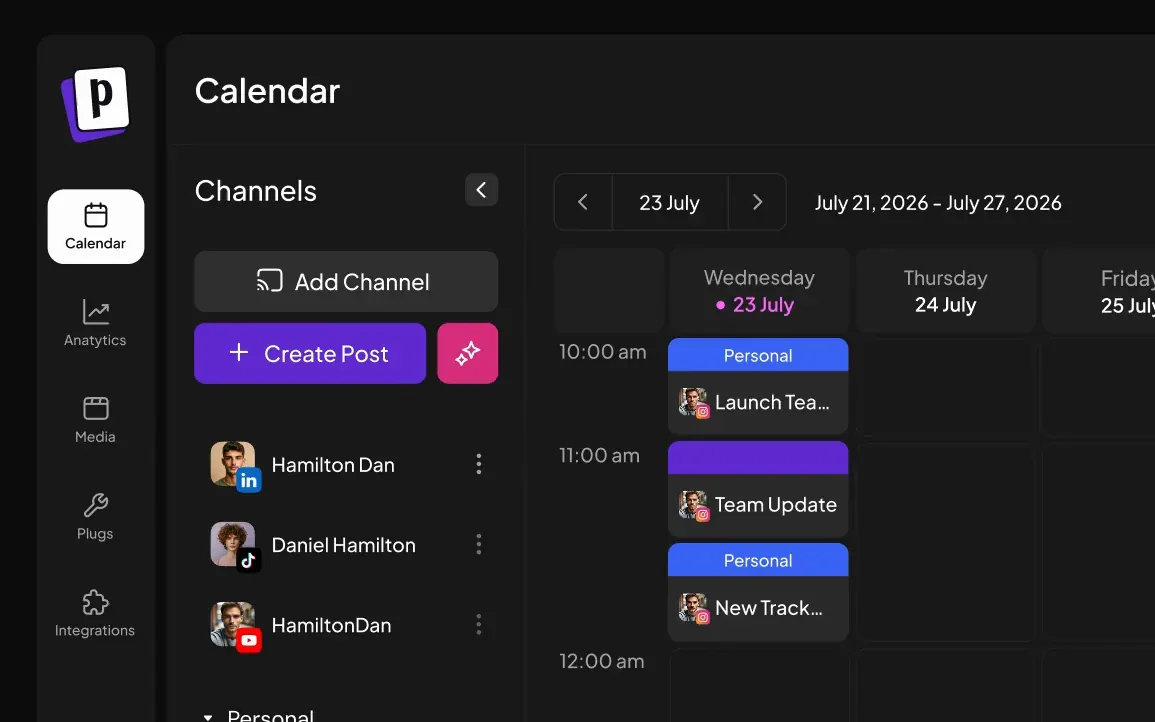
Postiz calendar showing scheduled posts by channel for the week.

Postiz (Self-Hosted)

Run your own publishing calendar

Free
The open-source self-hosted edition has no Postiz software subscription fee.
The catch
Hosting, backups, upgrades, API setup and maintenance remain your responsibility. Hosted Postiz is a separate paid offering.
Try first
Read the self-hosting documentation and confirm support for your required networks before installing.
Visit Postiz (Self-Hosted)
Details

Included free

  • Self-hosted publishing calendar
  • No Postiz plan cap on channels or normal scheduling
  • API and webhook capabilities

What paid plans add

  • Standard Cloud: managed hosting and 5 channels, $29/month monthly
  • Team Cloud: 10 channels and team members, $39/month monthly
  • Pro / Ultimate Cloud: 30 / 100 channels and larger AI allowances

Limits to know

  • You operate the deployment and platform credentials
  • Network API restrictions and optional AI charges still apply

Best for: Technical teams wanting control over publishing

Postiz gives you a publishing calendar on infrastructure you control. The self-hosted installation requires a running application and the appropriate credentials for the networks you want it to publish to. This is the option for someone who wants control and has technical help available. It can make sense alongside infrastructure you already maintain; it is less attractive if avoiding server administration was the reason for choosing SaaS. Social networks still control API access and publishing permissions. Budget for the operator as well as the machine, and test one channel before moving a whole calendar.

Plans and pricing ↗

Turn Interest Into Customers

Capture the inquiry, arrange the conversation, and remember the next step.

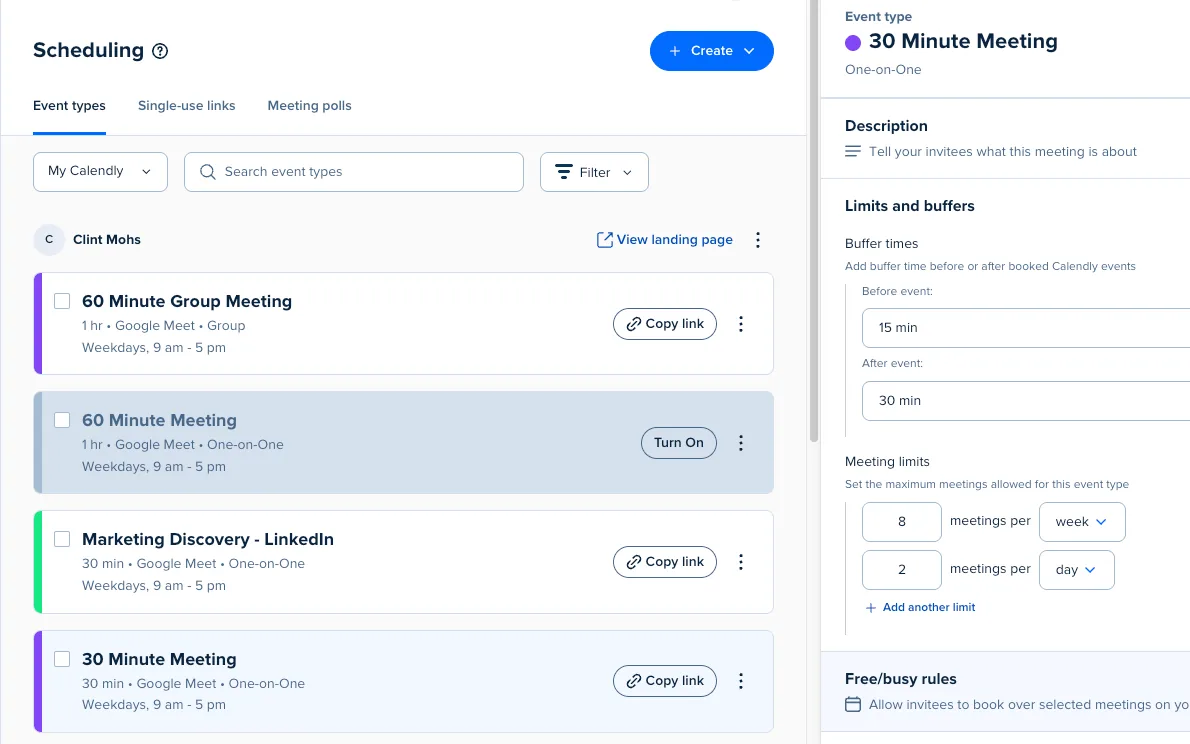
Calendly event types list with the event editor open on limits and buffers.

Calendly

End the scheduling email chain

Free
The free plan offers one active event type and one connected calendar.
The catch
Multiple appointment types and more advanced workflows require an upgrade.
Try first
Create one introductory appointment with buffer time and a sensible daily booking limit.
Details

Included free

  • 1 active event type and 1 connected calendar
  • Unlimited one-to-one bookings
  • Booking page and website embedding

What paid plans add

  • Standard: unlimited event types, more calendars, reminders and payment connections
  • Teams: round-robin distribution and lead routing

Limits to know

  • Calendly branding remains
  • Multiple event types, payments and advanced reminders are paid

Best for: Individuals offering one appointment type

Customers choose from available times on a booking page rather than negotiating each slot by email. This is especially helpful when you arrange similar introductory calls several times a week. Best for a consultant or service provider who repeatedly arranges the same kind of meeting. The calendar connection prevents some conflicts, but your availability rules still need thought. Block time for preparation and travel instead of making every open minute bookable. Use a short description to explain who the meeting is for and what the customer should bring.

Plans and pricing ↗
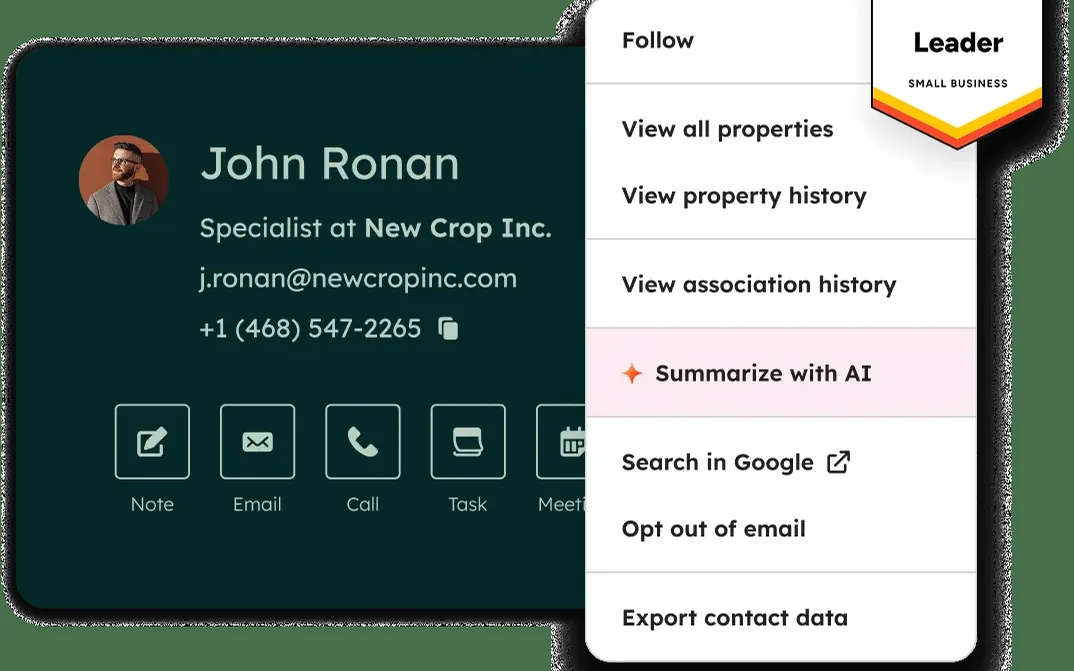
HubSpot CRM contact record with quick actions for note, email, call and task.

HubSpot CRM

Give every lead a next step

Free
The free CRM supports up to two users and 1,000 contacts.
The catch
Advanced automation, reporting and larger teams require paid features; old accounts may have different limits.
Try first
Add ten active leads, assign each a next action and review the list tomorrow.
Visit HubSpot CRM
Details

Included free

  • 2 users and 1,000 contacts
  • Contact records, deal tracking and a shared inbox
  • Basic meeting links and sales tools

What paid plans add

  • Starter: higher limits, branding removal and basic automation
  • Sales Hub Professional: sequences and forecasting
  • Smart CRM tiers: additional data and administration features

Limits to know

  • Advanced automation and reporting are paid
  • Free account limits differ from older legacy accounts

Best for: One- or two-person sales operations

Contact records and deal stages bring sales conversations into a shared system. That makes the next action visible even when the person who first received the inquiry is unavailable. A useful starting point when conversations are scattered between inboxes and memory. The valuable part is the shared record: who asked, what they need and when someone should follow up. Keep the first pipeline simple enough that you will update it. Import active, relevant contacts first rather than filling the allowance with an old mailing list nobody has maintained.

Plans and pricing ↗
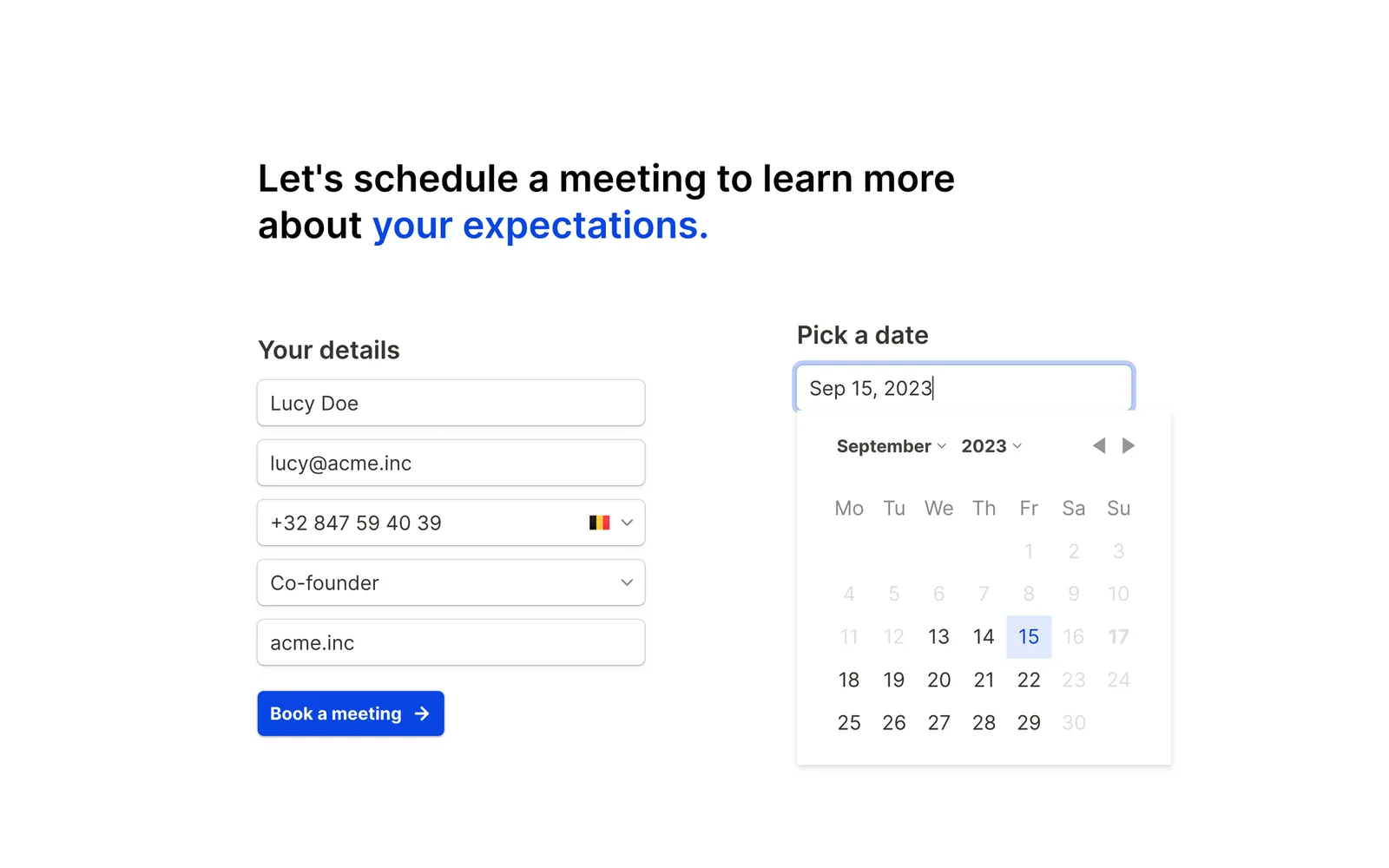
A Tally form collecting contact details next to a date picker.

Tally

Collect better customer inquiries

Free
Unlimited forms and submissions are available under fair-use terms, including useful logic features.
The catch
Brand removal, custom domains and some administrative features require paid plans. File and fair-use limits still apply.
Try first
Build an inquiry form asking for the problem, desired timing and a way to reply.
Visit Tally
Details

Included free

  • Unlimited forms and submissions under fair use
  • Conditional logic, calculations and signatures
  • File uploads, payment forms, API and webhooks

What paid plans add

  • Pro: branding removal, custom domains, collaboration and partial submissions; $29/month monthly
  • Business: email verification and automated data retention; $89/month monthly

Limits to know

  • 10 MB individual file-upload limit
  • Tally branding; payment processing fees are separate

Best for: Intake forms, surveys and customer requests

The document-like editor lets you assemble questions, conditional branches and confirmation messages. An embedded form can collect project requirements, feedback or appointment preparation details without building a custom application. Tally suits businesses that need structured information without commissioning a custom form. Conditional questions can avoid making every visitor answer every possible question. Keep the form short enough to finish on a phone and test where submissions land. A submitted form is not a handled inquiry; give someone responsibility for checking and responding to it.

Plans and pricing ↗
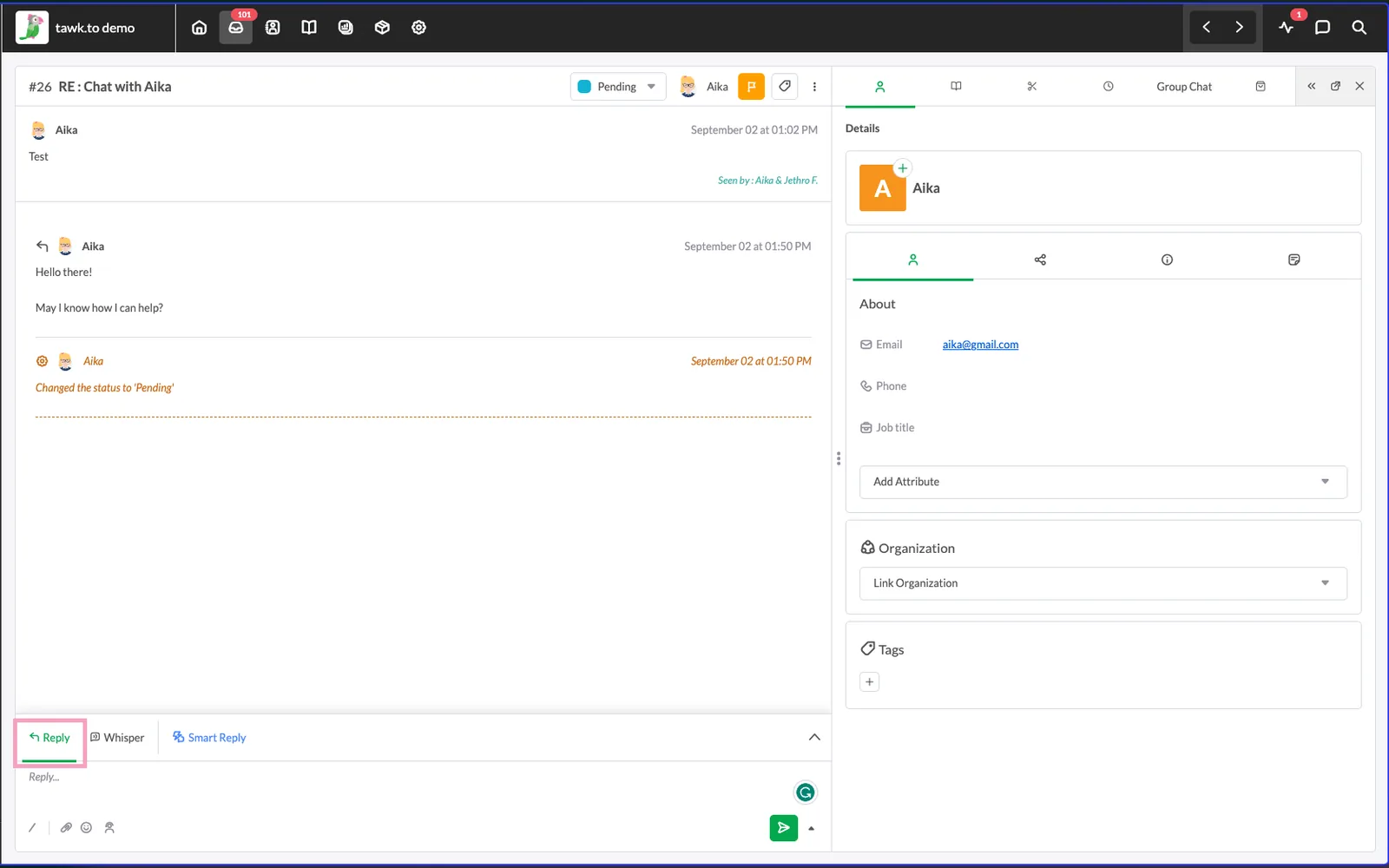
tawk.to inbox showing a live chat conversation and visitor details.

tawk.to

Answer questions while visitors browse

Free
Core live chat includes unlimited agents and chats without a subscription.
The catch
Removing branding, AI assistance and hired agents are separate paid services.
Try first
Set realistic chat hours and write answers to your five most common questions.
Visit tawk.to
Details

Included free

  • Unlimited core chats and agents
  • Ticketing, contacts and Knowledge Base
  • Multiple properties and conversation history

What paid plans add

  • AI Assist: paid tiers add credits and integrations
  • Whitelabel: removes branding per property
  • Hired agents: outsourced staffing, priced separately

Limits to know

  • Widget branding remains
  • Live human responses still require someone available

Best for: Small teams answering website questions

The website widget connects visitors to a dashboard where your team handles conversations. It can capture an inquiry before someone leaves to look for an answer from another supplier. Helpful when a short answer can remove a purchase objection. A widget nobody responds to is less useful than a clear contact form, so staffing comes before installation. Use offline messages when you are away and tell visitors when to expect a response. Review recurring questions to improve the website itself; chat should not compensate indefinitely for missing information.

Plans and pricing ↗
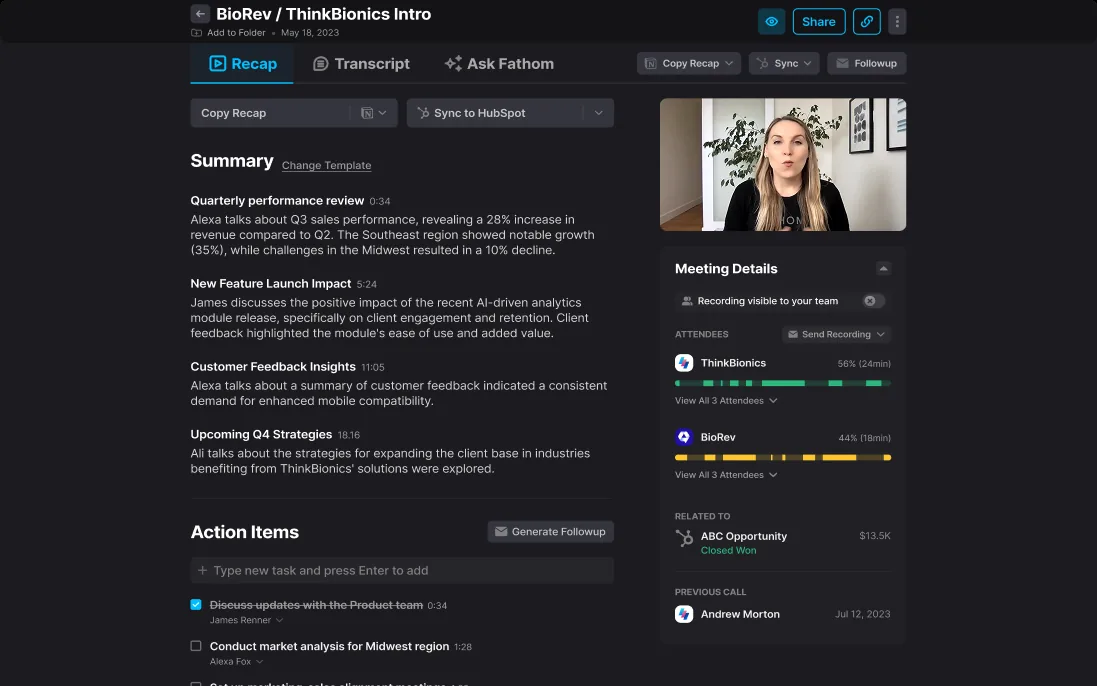
Fathom meeting recap with a summary, action items and meeting details.

Fathom

Keep the substance of meetings

Free
A free individual plan provides recording and transcription, with limits around advanced AI features.
The catch
Team administration, advanced summaries and other capabilities may require payment. Participants need appropriate notice and consent.
Try first
Use it for one suitable meeting, then check the action items against what was actually agreed.
Visit Fathom
Details

Included free

  • Unlimited recordings, transcriptions and storage
  • Standard summaries, clips and meeting search
  • 5 advanced AI summaries per month

What paid plans add

  • Premium: advanced summaries, action items and follow-up emails
  • Team: shared workspace, folders and collaboration
  • Business: CRM field sync, coaching and deal views

Limits to know

  • Advanced AI features are limited
  • Team administration and CRM field sync are paid

Best for: Consultants documenting customer meetings

Fathom records and transcribes supported meetings, giving you a record to revisit afterward. It is most valuable when details from discovery conversations need to survive beyond the person’s handwritten notes. Useful for consultants who need to listen closely instead of typing throughout a call. A searchable record can help recover a decision later, but an AI summary can miss nuance or misattribute a commitment. Review before sending a recap. Agree on recording expectations and retention, especially when clients share confidential material; convenient capture is not a reason to record every conversation.

Plans and pricing ↗

Make It Easier to Get Paid

Make billing clear and payment straightforward.

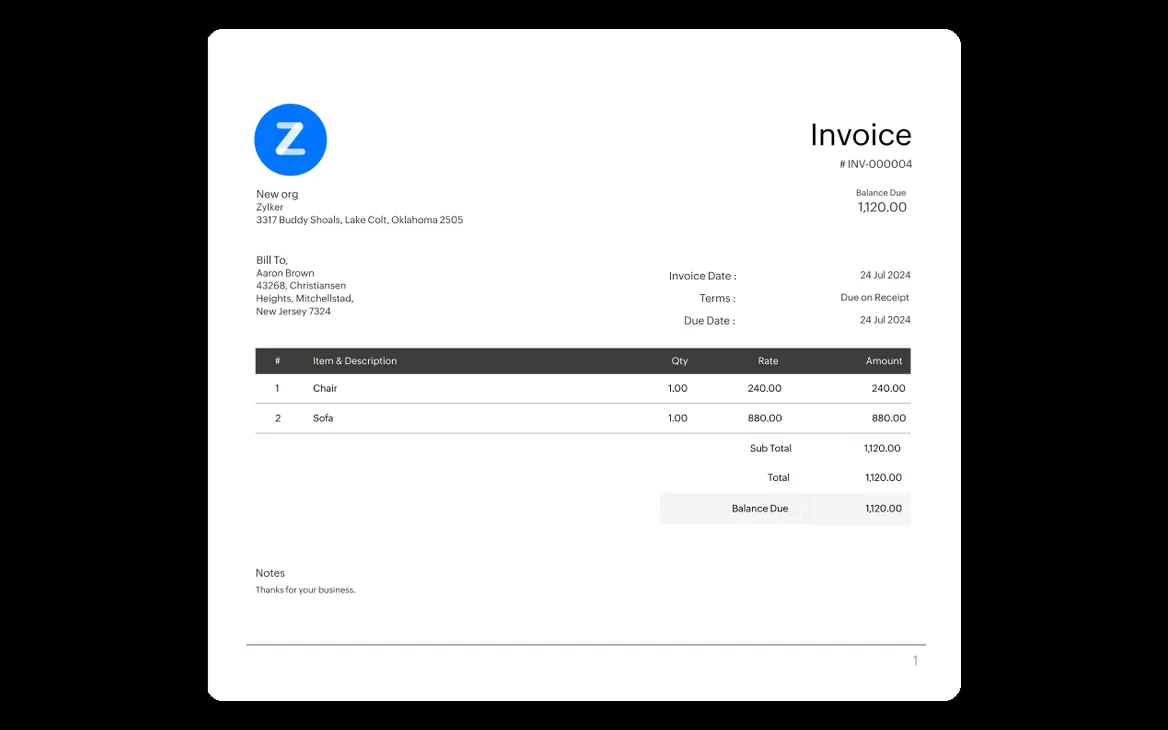
A Zoho Invoice invoice with line items, totals and balance due.

Zoho Invoice

Send invoices and follow up

Free
Invoicing, estimates, reminders and time tracking are offered without a subscription.
The catch
Usage limits apply, and payment processors charge separately. This is not a full accounting replacement.
Try first
Create one estimate, convert it to an invoice and check the reminder settings.
Visit Zoho Invoice
Details

Included free

  • Up to 500 invoices per year
  • 2 users and up to 3 projects
  • Estimates, recurring invoices, reminders and time tracking

What paid plans add

  • No paid Zoho Invoice tier
  • Zoho Billing and Zoho Books are separate products for broader billing or accounting

Limits to know

  • Payment-provider charges are separate
  • Zoho branding and product-specific capacity limits

Best for: Small service businesses sending invoices

The application keeps estimates, invoices and payment status together. For hourly work, time records can support the bill, making it easier to explain what a customer is paying for. A strong fit for a small service business still assembling invoices in documents. Reusable customer records and line items reduce retyping, while outstanding-balance views make follow-up less dependent on memory. Set clear payment terms and check tax treatment with the person responsible for your accounts. Recurring invoices are useful, but do not assume they provide every feature of subscription billing.

Plans and pricing ↗

Spend Less Time Managing the Business

Reduce repetitive work and keep the essentials organized.

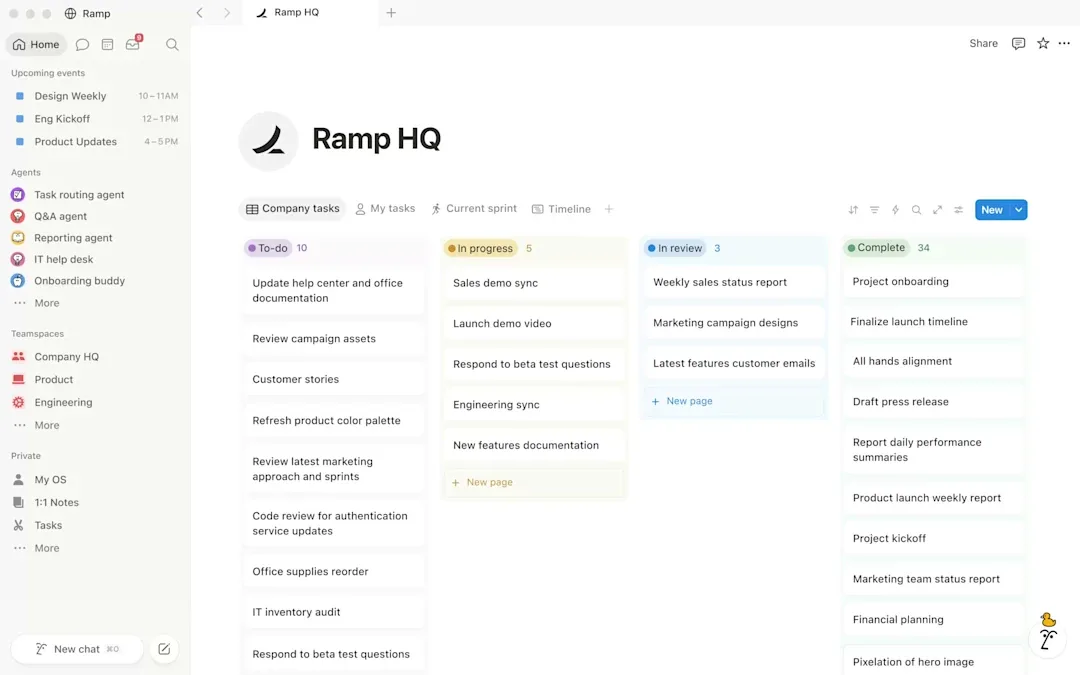
A Notion workspace with a team task board grouped by status.

Notion

Put operating knowledge in one place

Free
The free plan provides pages and databases, with the most generous fit for individual use.
The catch
Team collaboration, upload sizes, history and AI features have limits or paid requirements.
Try first
Document one process that someone currently has to explain from memory.
Details

Included free

  • Unlimited pages and blocks for a single member
  • Databases, basic forms and published sites
  • 10 guests, 5 MB uploads and 7-day history

What paid plans add

  • Plus: team blocks, larger uploads and 30-day history
  • Business: AI tools, private teamspaces and advanced permissions
  • Enterprise: administration, provisioning and security controls

Limits to know

  • Multi-member Free workspaces have a lifetime block cap
  • AI access on Free is a limited trial

Best for: An individual organizing business knowledge

Notion combines documents with structured databases, so a written procedure can sit beside its checklist or project register. The flexible structure works best when the team agrees on a few conventions. Useful for a small operation whose instructions live in chat threads and old documents. Link a checklist to the relevant customer or project record instead of creating another disconnected page. Start with a few pages people will actually open: how to handle an inquiry, deliver a job and request access. Assign an owner and review date to important instructions so the workspace stays trustworthy.

Plans and pricing ↗
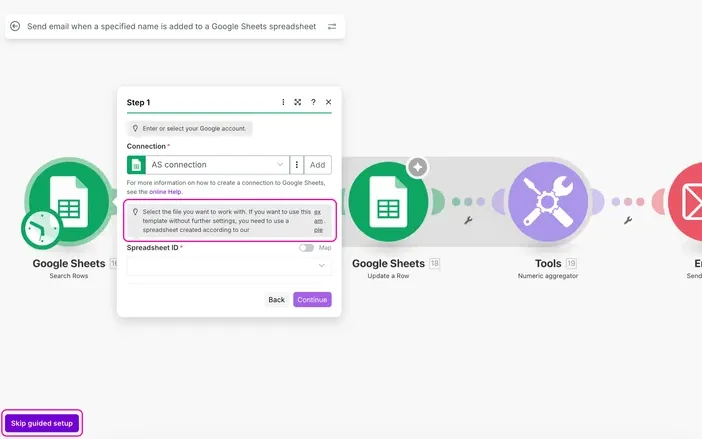
Make scenario editor connecting Google Sheets, a tools module and email.

Make

Stop copying the same information

Free
The free plan provides 1,000 monthly credits and two active scenarios.
The catch
Scheduled runs have a 15-minute minimum interval; modules and AI features can consume credits differently.
Try first
Copy one test form submission into a spreadsheet, with a notification when the run fails.
Visit Make
Details

Included free

  • 1,000 monthly credits
  • 2 active scenarios with webhooks, routers and filters
  • Visual builder and standard app integrations

What paid plans add

  • Core: more credits, unlimited active scenarios and one-minute scheduling
  • Pro: priority execution, custom variables and log search
  • Teams: team roles and shared templates

Limits to know

  • 15-minute minimum scheduled polling interval
  • 5-minute execution and 5 MB file limits

Best for: A few well-defined repetitive workflows

Make connects supported applications through visual scenarios. A submission can become a record or trigger a notification, reducing the need to copy information between tools by hand every day. Start with a repetitive task whose inputs and expected result are already clear. Adding automation to an ambiguous process only repeats the ambiguity faster. Estimate usage per record, include retries, and inspect the run history before leaving it unattended. Someone should own failures and expired connections. A small reliable workflow is more useful than a sprawling one nobody can explain.

Plans and pricing ↗
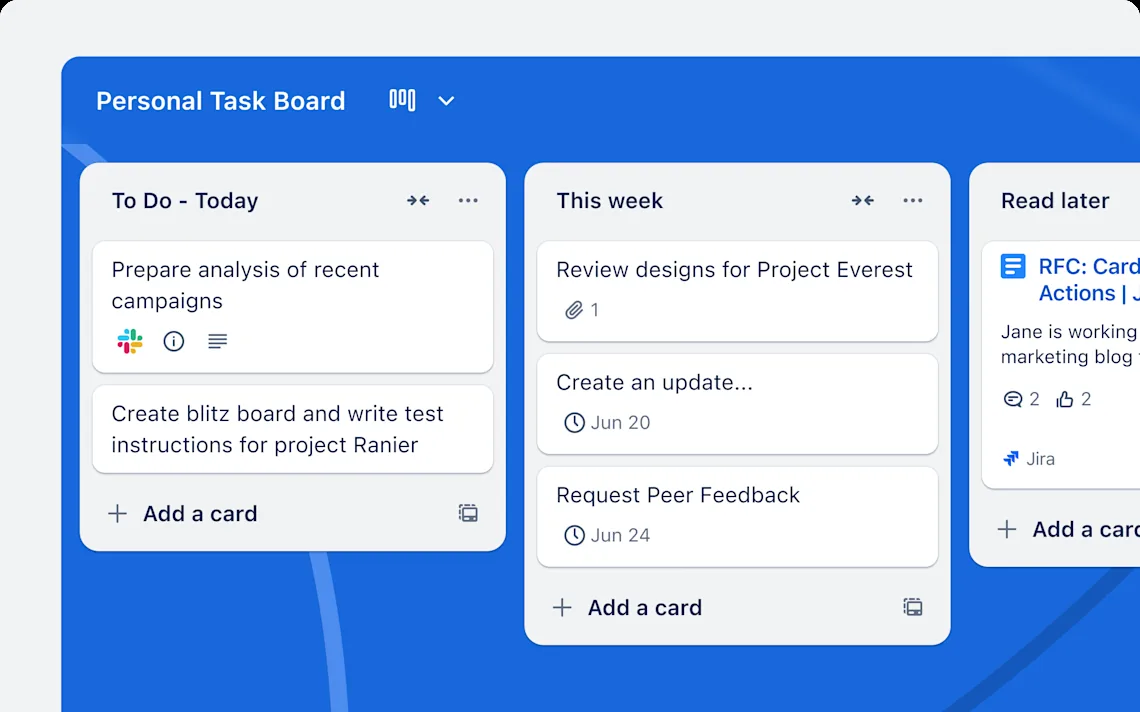
Trello board with To Do, This week and Read later lists.

Trello

See where the work stands

Free
Free boards, cards and basic task management support small collaborative workflows.
The catch
Workspace collaborator and board limits apply; advanced views and administration require payment.
Try first
Create To do, Doing and Done lists for one recurring business process.
Visit Trello
Details

Included free

  • 10 open boards and 10 collaborators per Workspace
  • Unlimited cards and 10 MB attachments
  • 250 automation runs per month

What paid plans add

  • Standard: unlimited boards, Custom Fields and 1,000 automation runs; $6/user/month monthly
  • Premium: Timeline, Dashboard and other views; $12.50/user/month monthly

Limits to know

  • Advanced checklists and additional views are paid
  • Third-party Power-Ups may charge separately

Best for: Small teams managing visible work stages

Boards contain lists, and lists contain task cards with details and due dates. This visual arrangement helps a small team notice stalled work without opening a complex project management dashboard. Good for work that moves through visible stages: quotes, content production, onboarding or small projects. Give each card one owner and a clear definition of finished. Too many lists can turn a simple board into another filing system. Review blocked cards regularly and archive completed work so the board reflects current commitments rather than the entire history of the business.

Plans and pricing ↗
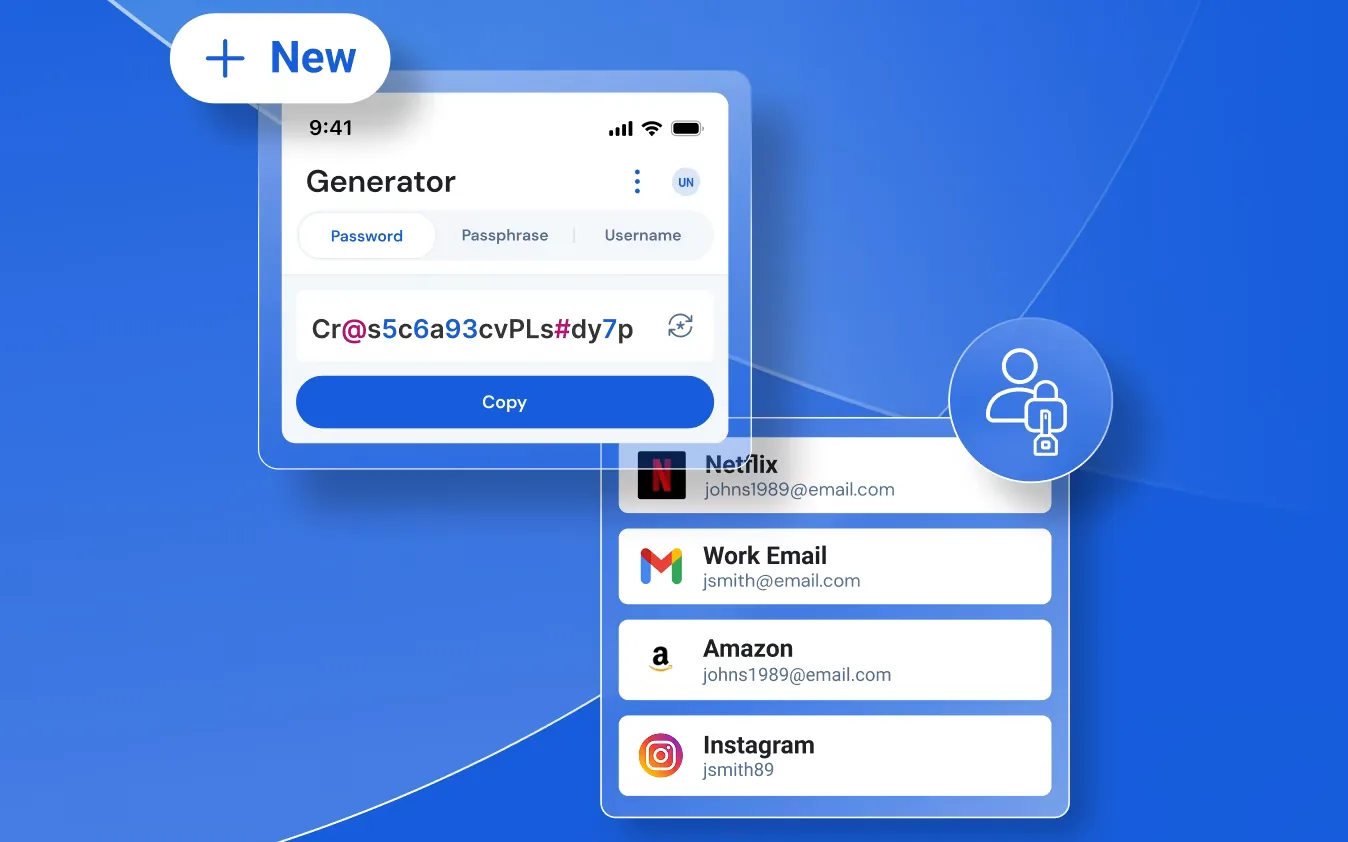
Bitwarden password generator above a list of saved logins.

Bitwarden

Replace reused passwords

Free
A free individual vault stores and synchronizes passwords across devices.
The catch
Business administration and larger-scale credential sharing require paid plans; a personal vault is not a company access policy.
Try first
Secure your email and domain registrar accounts with unique generated passwords and multifactor authentication.
Visit Bitwarden
Details

Included free

  • Unlimited personal passwords and devices
  • Password generation, passkeys and vault sync
  • Free organization: 2 people and 2 collections

What paid plans add

  • Premium: integrated authenticator, attachments and emergency access
  • Teams: shared collections, event logs and provisioning
  • Enterprise: SSO, policies and self-hosting entitlement

Limits to know

  • Personal Free does not include full business administration
  • Attachments and advanced security reports are paid

Best for: Owners replacing password reuse

Bitwarden stores credentials in an encrypted vault and helps generate unique passwords. Browser and mobile tools make using different credentials practical without expecting someone to memorize every account password. Especially useful for owners with accounts scattered across browsers and notebooks. Protect the vault itself with a strong master password and plan account recovery before an emergency. Shared accounts still need a clear owner. When someone leaves, removing their vault access does not revoke passwords they may already have copied; rotate sensitive credentials and remove their access in each service.

Plans and pricing ↗

Keep Your Website Healthy and Effective

Check availability, understand behavior, and decide what to improve.

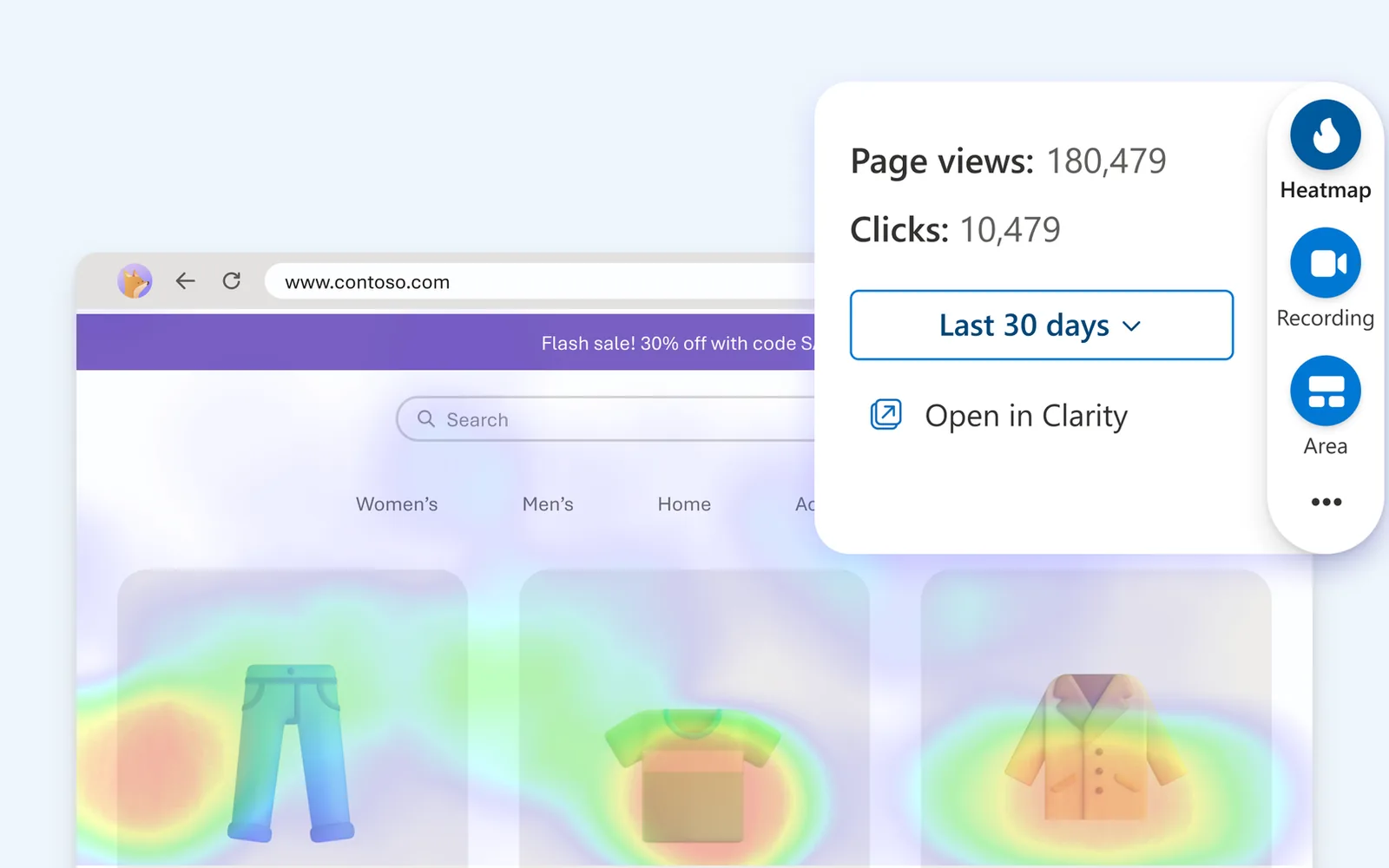
Microsoft Clarity heatmap over a product page, with page views and clicks.

Microsoft Clarity

See where website visitors struggle

Free
Session replays and heatmaps are available without a subscription.
The catch
Mask sensitive information and configure consent appropriately. Replays show behavior, not the visitor’s reasoning.
Try first
Review a small sample of mobile visits to your inquiry page and note repeated friction.
Details

Included free

  • Session recordings, heatmaps and funnels
  • Unlimited team members and websites advertised
  • Behavioral insights and supported integrations

What paid plans add

  • No paid tier for core Clarity analytics
  • External infrastructure used by optional integrations can charge separately

Limits to know

  • Normal recordings retained for 30 days
  • Recording, heatmap and API limits still apply

Best for: Understanding friction on an existing website

Heatmaps and session recordings show how visitors interact with a page. This gives a website owner a practical starting point for investigating confusing navigation, abandoned forms or overlooked calls to action. Use Clarity when traffic numbers say people leave but do not explain where the page gets difficult. Look for repeated patterns, such as missed buttons or confusing form steps, rather than reacting to one unusual session. Test your proposed fix and compare behavior afterward. Avoid recording confidential fields; analytics setup deserves the same care as the form itself.

Plans and pricing ↗
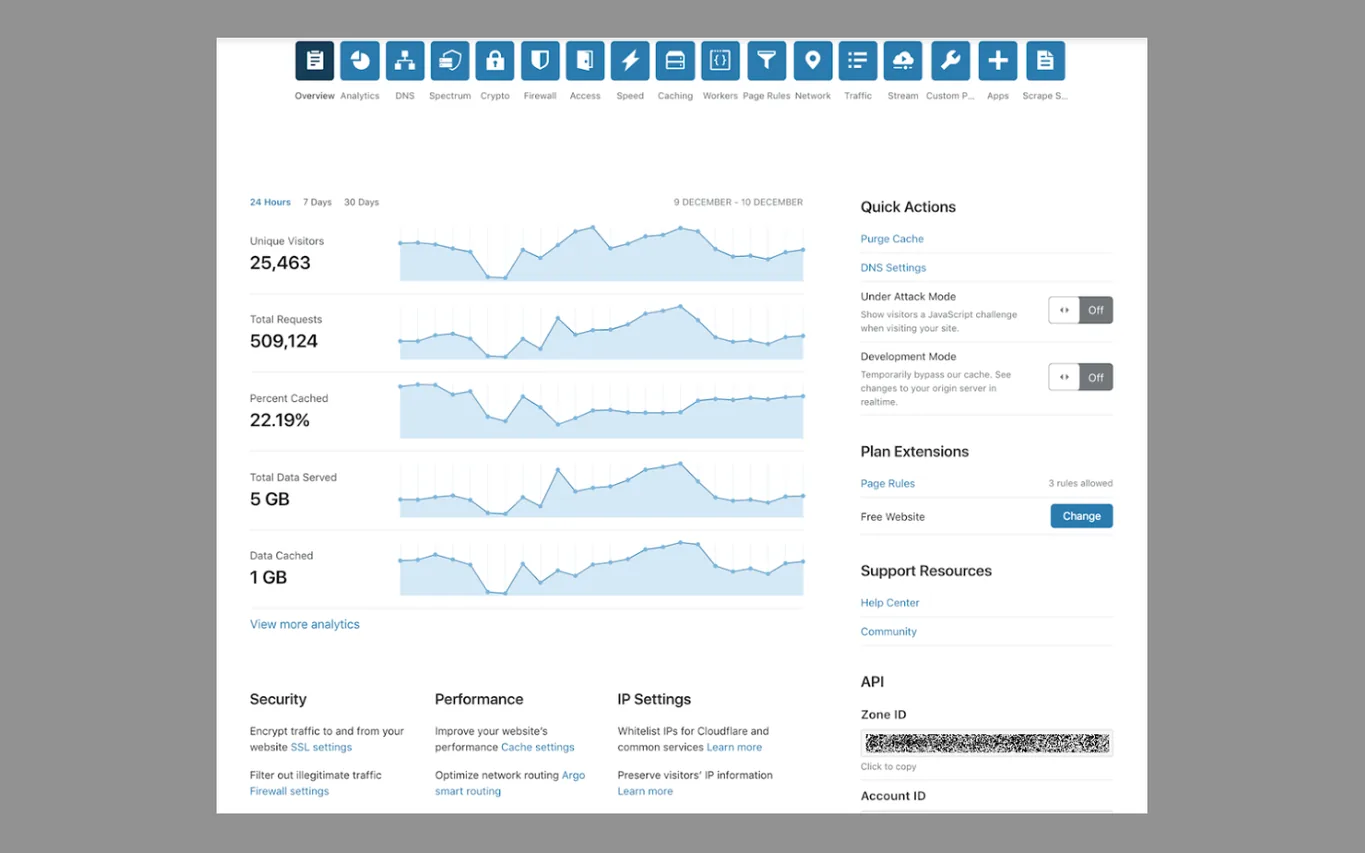
Cloudflare dashboard overview with visitors, requests and cached data for the last 24 hours.

Cloudflare

Add a protective website layer

Free
The free website plan includes DNS, CDN and foundational security services.
The catch
It does not replace hosting, backups or application maintenance. Advanced controls and support are paid.
Try first
Inventory your DNS records before changing nameservers, then verify your site and email afterward.
Visit Cloudflare
Details

Included free

  • Authoritative DNS and global CDN
  • Universal SSL and DDoS mitigation
  • Free managed WAF rules and basic analytics

What paid plans add

  • Pro: expanded WAF, image optimization and bot protection; $25/domain/month monthly
  • Business: additional controls, support and an uptime SLA; $250/domain/month monthly

Limits to know

  • Limited security controls and technical support
  • Hosting, backups and developer products are separate

Best for: Websites needing DNS, delivery and protection

Cloudflare sits between visitors and your website for supported proxied traffic. Its content delivery and filtering services complement your host, while DNS management controls where your domain’s services resolve. A sensible option when a website needs basic traffic protection and faster delivery of cacheable files. Setup affects infrastructure, so preserve mail records and understand the existing hosting configuration first. Caching can cause surprises on account or checkout pages; use appropriate exclusions. A healthy edge response also does not guarantee that every feature of the underlying application works.

Plans and pricing ↗
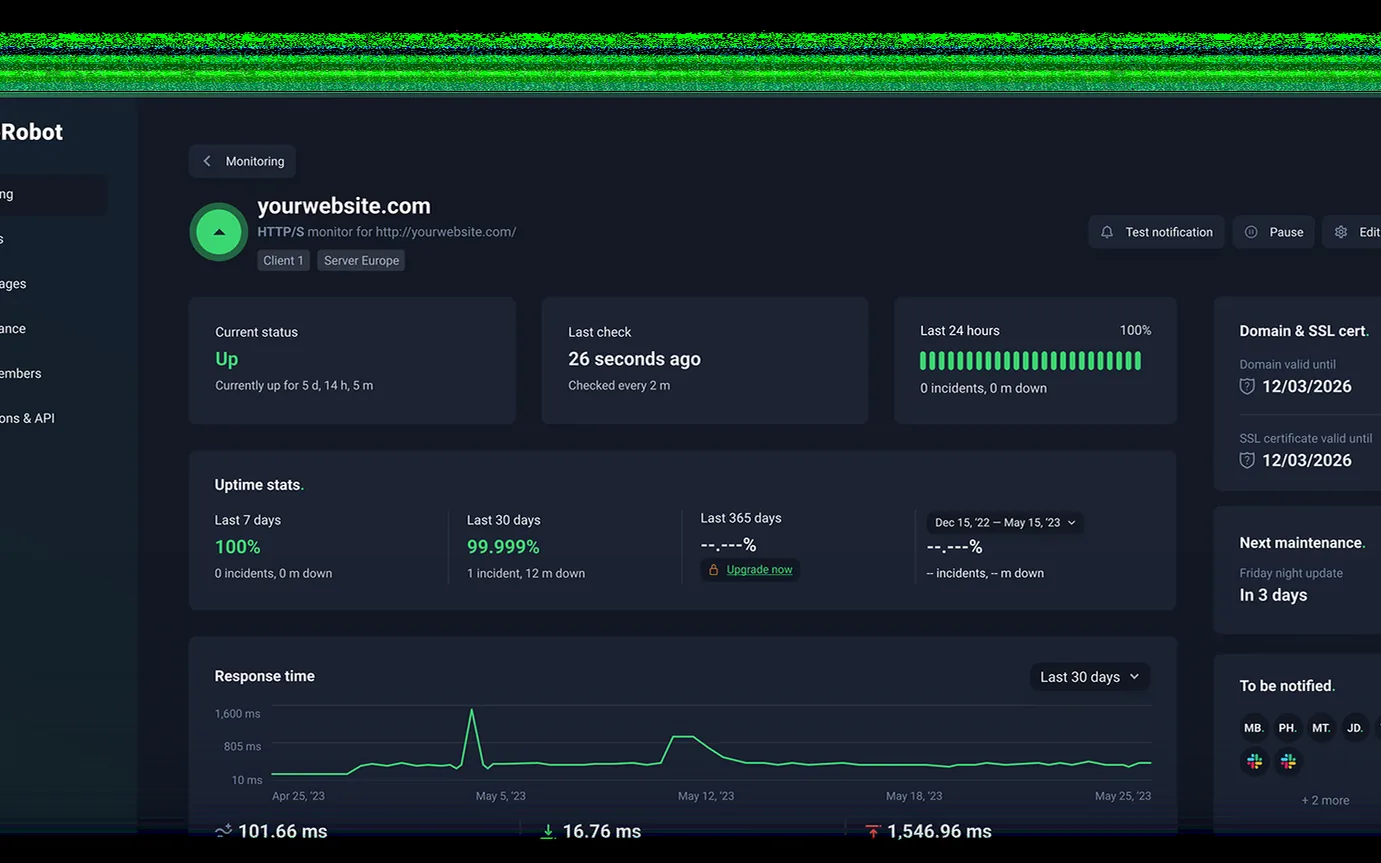
UptimeRobot monitor dashboard showing uptime, response time and the last check.

UptimeRobot

Know when your website goes down

Free
The current free plan allows commercial use and provides basic monitoring at five-minute intervals.
The catch
Faster checks and advanced monitoring require paid plans. A successful homepage check does not prove checkout works.
Try first
Monitor your public homepage and send a test alert to the person who can fix an outage.
Visit UptimeRobot
Details

Included free

  • 50 monitors at 5-minute intervals
  • Basic HTTP, keyword, ping and port monitoring
  • Basic status page and 3-month data retention

What paid plans add

  • Solo: 60-second checks and advanced monitor types
  • Team: 30-second checks, team seats and incident collaboration
  • Scale: 15-second checks and higher capacity

Limits to know

  • No included team login seats or SMS credits
  • Advanced checks and faster polling require payment

Best for: Owners needing external downtime alerts

The service checks your website from outside your hosting environment and notifies you when checks fail. That independent perspective is useful when your own server cannot send an alert. External monitoring can catch an outage before a customer reports it. Choose a meaningful destination for alerts and decide what the recipient should do next. Monitor important endpoints separately where appropriate, but avoid a pile of duplicate notifications. The current official terms permit business use; older descriptions of a non-commercial restriction are outdated.

Plans and pricing ↗
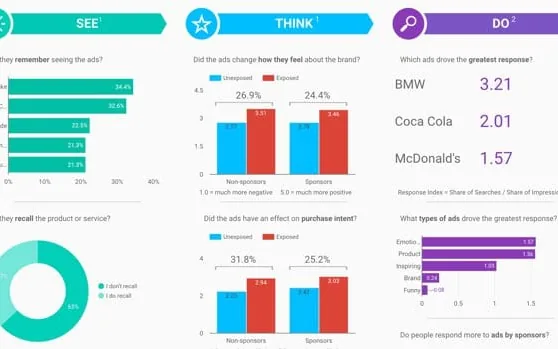
Data Studio report with bar charts and a donut chart.

Google Data Studio

Make a useful business dashboard

Free
Self-service report building is free; Google renamed Looker Studio back to Data Studio in April 2026.
The catch
Some connectors, underlying data services and Pro capabilities cost money. A dashboard cannot repair inconsistent source data.
Try first
Connect a clean spreadsheet and build one report answering a recurring business question.
Visit Google Data Studio
Details

Included free

  • Self-service dashboards and visualizations
  • Compatible connectors and calculated fields
  • Report sharing and scheduled email delivery

What paid plans add

  • Pro: organization-owned content, team workspaces and advanced administration
  • Published project subscription: $9/user/project/month

Limits to know

  • Some connectors and source systems cost money
  • Individual ownership rather than Pro team workspaces

Best for: Turning existing data into shareable reports

The reporting editor combines connected data sources into charts, tables and shareable dashboards. It can replace a recurring screenshot-and-spreadsheet routine when the source information is already organized consistently. Best when you already know which numbers matter and spend time assembling them manually. Start with a decision, such as which inquiry sources produce booked work, rather than a wall of charts. Define each metric and show its date range. Check sharing permissions and data credentials carefully so a convenient report does not expose information to unintended readers.

Plans and pricing ↗

Three free software starter stacks

  1. Meta Business SuiteSocial presence
  2. TallyCustomer inquiries
  3. CalendlyAppointment booking
  4. HubSpot CRMLead management

Keep the path from first question to booked conversation clear. Meta Business Suite manages your social presence; Tally collects the details; Calendly offers a time; HubSpot keeps track of the lead. Decide who handles each handoff before adding automation.

These arrows describe a business workflow, not automatic integrations. Free-plan limits and any setup costs still apply.

When free tools aren't enough

Free plans have ceilings, and vendors tend to put them where a working business reaches them. That's ordinary product pricing, and it means you should know where each ceiling sits before you build a process on top of it. These are the ones we found, as of November 2026.

  • HubSpot CRM

    HubSpot's free CRM allows two users and 1,000 contacts, according to HubSpot's own product catalog. Older guides still promise a million contacts, because accounts opened before September 2024 reportedly kept the higher limit. Check the usage page in your own account instead of trusting any article, this one included.

  • Calendly

    Calendly's free plan keeps one event type active at a time, and it has to be a one-on-one meeting. A 15-minute intro call and a one-hour working session can't both be bookable. A second connected calendar needs the Standard plan, which runs about $10 per seat per month billed annually.

  • Make

    Make's free plan gives you 1,000 credits a month, two active scenarios, and a 15-minute minimum between scheduled runs. Most steps cost one credit. A five-step automation that handles ten form submissions a day uses about 50 credits a day, so you'd run out around day 20. The Core plan is $9 a month billed annually and removes the scenario cap.

  • Stripe Payment Links

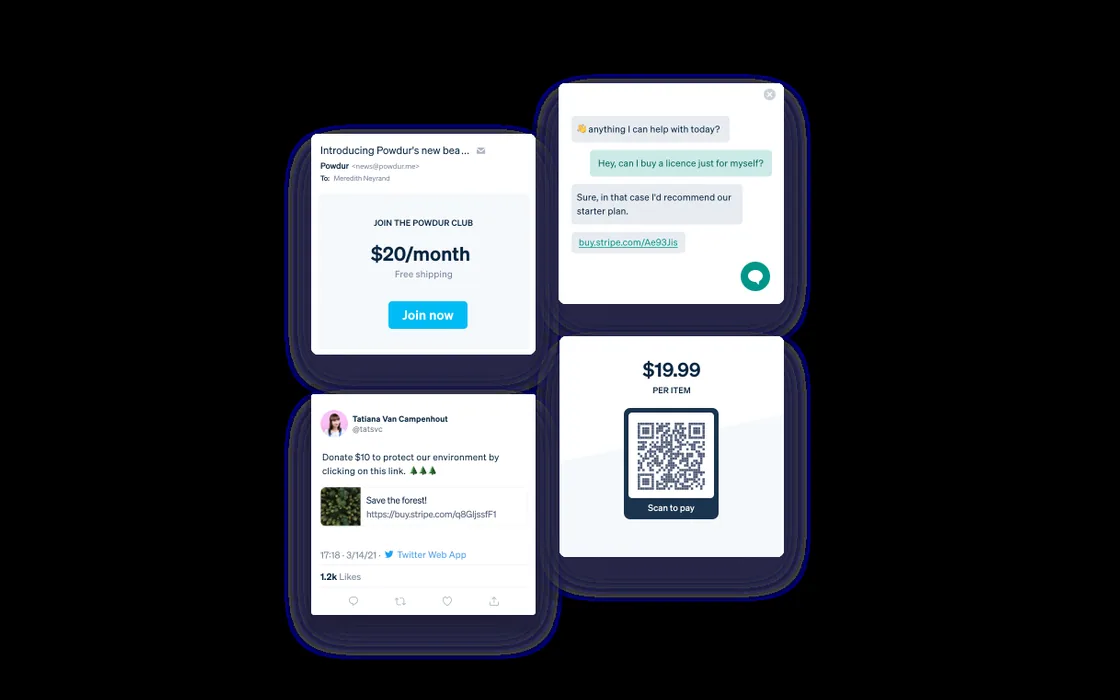
    Stripe Payment Links has no monthly fee. Stripe takes 2.9% plus 30 cents on every successful domestic card payment instead. On a $100 invoice that's $3.20. On a $20 sale it's 88 cents, or 4.4%. If your average sale is small, the fee schedule is your pricing plan.

The thing is: most of these limits tend to pop up when you have already started using the offering. Frustrating, but common. When in doubt, remember that your business is an investment, and investing $10-30 in a QoL tool may really be the ticket for breaking down those barriers to moving forward. Do what you need to do.

When the handoffs become the problem, explore process automation and lead management. A clearer process often matters more than another application.

Pick one problem first

Free software can cover most of what a small business needs to get found, book clients, and get paid. The catch is knowing where each free plan stops (user caps, contact limits, transaction fees) before you build around it.

Don’t install all 25. Pick the thing that’s broken right now, fix it with one or two tools, and add more only when you hit a real limit.

Want help wiring these up? Email dakota@futurebuiltdigital.com or fill out the quote form. Happy to set it up or just point you in the right direction.

We update this guide as free plans change. Subscribe to get the next version, plus whatever else we’re building... no spam, just useful stuff.